Training Stand

Training Stand

⭐ 4.7

About game

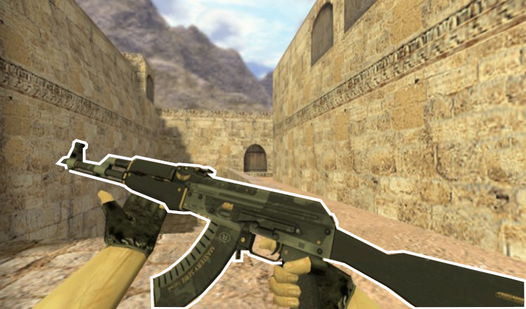
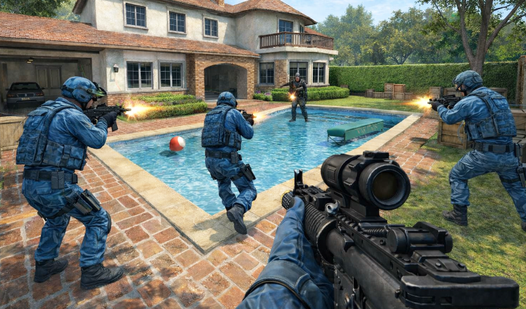
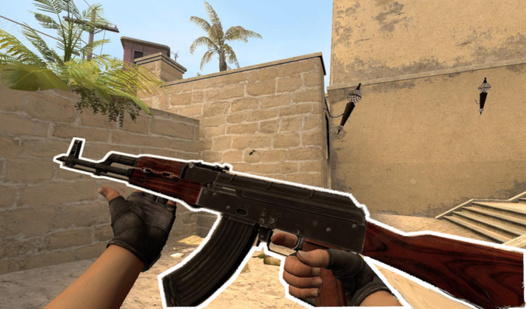
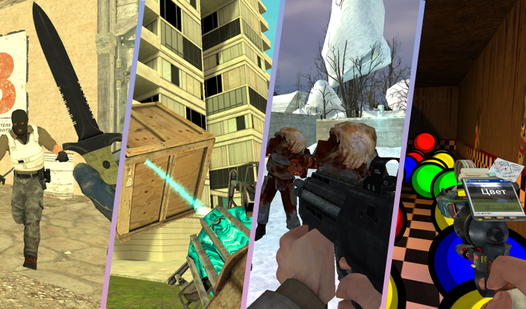
Master your marksmanship and reflexes in Training Stand by hitting targets with pinpoint precision across various high-stakes scenarios. Players navigate realistic obstacle courses and firing ranges to sharpen their reaction times to professional levels. Beyond the shooting gallery, you earn gold to unlock massive weapon collections that mimic the excitement of a high-end стандофф experience. The game allows you to open virtual cases and trade rare weapon skins on an internal marketplace to build a legendary inventory. You can even equip StatTrack stickers to personalize your gear exactly how you want it. Whether you are practicing your flick shots with an AWM or competing for the top spot on the global leaderboard, every second counts. This simulator brings the thrill of competitive gaming directly to your browser without needing a heavy install. Jump into Training Stand for free today to build your dream collection and prove your skills.

How to play

PC controls:
WASD - character movement.
Left mouse button (LMB) - shoot or stab.
Right mouse button (RMB) - use scope (on sniper rifles).
Space bar - jump.
Shift (left) - crouch.
Numbers 1, 2, 3 - quick weapon change.
Tab - open menu

Controls on phones:
Left joystick - move the character.
Right side of the screen (swipes) - rotate the camera and aim.
Button with a bullet - shoot.
Button with a scope - turn zoom on/off.
Buttons with characters - jump and crouch.
Weapon icons - switch between knife and rifle.

Features

  • Global Leaderboards: Compete against thousands of players worldwide by setting new records for accuracy and reaction speed in every session.
  • Advanced Weapon Simulation: Experience authentic ballistics and handling mechanics modeled after top-tier tactical shooters.
  • Inventory Progression: Accumulate in-game currency through consistent performance to unlock and upgrade your personal arsenal.
  • Full Customization: Modify your loadout with a vast selection of skins and stickers to showcase your unique style.
  • Dynamic Training Modes: Switch between classic static target practice and complex movement drills to cover every aspect of combat readiness.

Who is this game for

Competitive shooter fans looking to sharpen their raw mechanical skills and reaction times. Players who enjoy collecting rare weapon skins and managing virtual inventories will find plenty to love here. It is a top choice for those wanting to practice their aim without the pressure of ranked matches.

Controls

Movement: WASD on PC or the left on-screen joystick on mobile devices.
Shoot: Left mouse button on PC or the dedicated bullet icon on your phone screen.
Aim and Look: Mouse movement on desktop or swiping across the right side of your mobile touchscreen.
Weapon Swap: Use number keys 1, 2, 3 on PC or tap the weapon icons on mobile.
Scope zoom: Right mouse button on PC or the scope button on mobile.

FAQ

Can I play Training Stand directly in my web browser for free?

Yes, Training Stand is completely free to play in any modern web browser without any downloads or registration required.

Does Training Stand include features similar to opening cases in popular shooters?

Absolutely, Training Stand features a comprehensive case simulator where you can earn gold, open cases, and collect rare skins for your inventory.

Is Training Stand suitable for improving my aim for other games?

Training Stand is specifically designed to help players sharpen their reflexes and accuracy, making it an excellent warm-up tool for any tactical FPS enthusiast.

Video

Training Stand — trailer

Screenshots

Training Stand — screenshot 1Training Stand — screenshot 2Training Stand — screenshot 3Training Stand — screenshot 4Training Stand — screenshot 5

Popular games