How to Play Jigsaw Puzzles Online: Tips & Strategy
Learning how to play jigsaw puzzles online is easier than you might think — and way more satisfying than it sounds. Whether you've never touched a puzzle in your life or you've spent years assembling them on the kitchen table, browser-based jigsaw games bring the same mental payoff without the mess of a thousand loose pieces sliding off the floor.
In this guide, you'll get a full breakdown of how online jigsaw games work in the browser, a step-by-step strategy to solve puzzles efficiently, tips that genuinely cut solve times, and a curated list of the best free jigsaw games you can start playing right now — no download, no account required.
What Are Online Jigsaw Puzzles?
Online jigsaw puzzles are digital versions of the classic tabletop game. Instead of physically cutting cardboard into oddly shaped pieces, developers generate digital images that are algorithmically sliced into interlocking fragments — and your job is to reassemble them into the original picture.
The core appeal hasn't changed since the 1760s, when cartographer John Spilsbury glued a map to hardwood and cut it apart to teach geography lessons. What has changed dramatically is accessibility. No box to store under the bed, no pieces to lose behind the couch, no incomplete puzzles gathering dust for months. Open a browser tab and you're already playing.
Modern online jigsaw puzzles typically offer:
- Adjustable difficulty — choose anywhere from 9 pieces for young beginners to 500+ for hardcore enthusiasts
- Image variety — landscapes, wildlife, castles, abstract art, trains, cityscapes, fantasy art
- Timer and move counters for players who like to measure progress and compete against their own records
- Auto-sort, preview image, and rotation options depending on the specific platform
- Auto-save so your progress survives a browser refresh or accidental tab close
The category has exploded in the last few years. There are now hundreds of free jigsaw games covering every image theme imaginable — from relaxing nature scenes to detailed historical paintings to themed kids' puzzles.
One of the most polished options for beginners is Relax Jigsaw Puzzles — a themed collection where you pick a category, choose your piece count, and let the calming experience do the rest. The adjustable difficulty means you can ease in slowly or jump straight to a challenging piece count.
Relax Jigsaw Puzzles
Feeling a little stressed out or just need a satisfying break from your daily grind? Relax Jigsaw Puzzles is here to whisk you away into a world of ca...
▶ Play FreeHow Jigsaw Games Work in the Browser
Browser jigsaw games use HTML5 canvas rendering to handle drag-and-drop mechanics smoothly, with no plugins or installation required. When you start a puzzle, the image is cut algorithmically into interlocking pieces — each with unique tab and hole shapes — then scattered randomly across the screen or held in a dedicated piece tray.
Here's what the standard interface looks like when you load a jigsaw game:
The puzzle board is the main assembly area. It usually shows a faint grid or boundary, and often displays a small reference image in the corner showing what the completed puzzle should look like. Better games let you toggle this preview on and off.
The piece tray is a container — sometimes a scrollable sidebar, sometimes the border area of the screen — holding all pieces waiting to be placed. On larger puzzles, pieces are displayed small and tightly packed, which is part of the challenge.
Core controls most games include:
- Zoom in/out so you can focus on specific sections without squinting
- "Shuffle" or "Sort" buttons to reorganize the tray when it gets messy
- Preview toggle to check the reference image anytime
- Rotation (some games require rotating pieces to the correct orientation before they'll snap)
Snap detection is the mechanic that makes digital puzzles feel satisfying. When you drag a piece close enough to its correct neighbor, it snaps automatically into place. The sensitivity radius varies by game — some are generous, others tight. Many games also auto-group pieces once they connect to each other, so you end up dragging clusters rather than single pieces as you progress.
Session saving in modern jigsaw games happens via local storage in your browser. Closing the tab, shutting down your laptop, coming back three days later — none of it loses your progress. The puzzle picks up exactly where you stopped.
Not every jigsaw game follows the exact same format. Jigsaw Solitaire is a great example of a game that takes the core mechanic in a fresh direction — combining jigsaw piece placement with sliding tile logic for an experience that challenges your spatial reasoning differently than a standard puzzle does.
Jigsaw Solitaire
Fans of logic challenges and beautiful visuals will find Jigsaw Solitaire the ultimate way to decompress after a long day. This refreshing take on the...
▶ Play FreeHow to Play Jigsaw — Step-by-Step Solving Strategy
This is where knowing how to play jigsaw puzzles goes from intuitive to actually efficient. Random piece-clicking rarely works above 100 pieces. Having a real method changes everything — and it scales from small casual puzzles all the way to 500-piece marathons.
Step 1: Start With the Border
Every serious puzzler starts here, and for very good reason. Edge pieces have at least one flat side (corner pieces have two), which immediately distinguishes them from interior pieces. Your first move should always be: scan the tray, pull out all edge and corner pieces, and assemble the frame first.
The completed border gives you a fixed reference perimeter. Every subsequent piece placement happens inside that boundary, which dramatically narrows the search space.
Step 2: Sort Remaining Pieces by Color Zone
Before placing a single interior piece, look at your reference image and identify clear color regions — the blue sky, the dark green forest, the grey stone wall, the red roof tiles. Now roughly sort your remaining pieces into matching color groups. You don't need perfect piles — just rough clusters.
This upfront sorting takes 3-5 minutes but saves 20+ minutes of hunting on larger puzzles.
Step 3: Work One Section at a Time
Pick one color zone and commit to completing it before touching another. Trying to jump between different sections simultaneously is cognitively expensive — you end up making the same wrong comparisons repeatedly. Constraint your focus. Finish the sky completely, then move to the treeline, then the building in the foreground.
Step 4: Use Distinctive Details as Anchors
Scan the image for unusual details — a bright window, a logo, a face, a specific plant, a patch of unusually bright color. These are landmarks. Find those pieces in your tray first, place them as anchors, and build outward from each anchor point. This technique is especially effective in mid-puzzle when the "generic zone" pieces (lots of similar sky, lots of similar grass) start to blur together.
Step 5: Match Shape AND Color
On games with rotation enabled, never match by color alone. Always verify the connector shape — the specific pattern of tabs (outward bumps) and holes (inward curves) on all four sides. Two pieces with nearly identical coloring might have completely incompatible shapes. Study the geometry before committing to a placement.
Step 6: Use the Preview Image Constantly
There is no prize for not looking at the reference image. Check it as often as you need to, zoom into specific areas of the reference, compare individual piece patterns directly against the original. The puzzle is about assembly, not memorization.
If you want a game with stunning reference images and a clean, intuitive interface that makes all of these steps easy, Royal Jigsaw Puzzles is an excellent choice. The image library is vibrant and well-curated, and the difficulty scaling means you can start easy and work up to properly challenging piece counts.

Royal Jigsaw Puzzles
Puzzle fans looking for a refined digital experience will adore the elegant challenges waiting in Royal Jigsaw Puzzles. This title brings the classic ...
▶ Play FreeTips to Solve Jigsaw Puzzles Faster
Once the core method clicks, these specific tips will help you cut your solve times significantly and make the experience less frustrating on harder puzzles.
Zoom aggressively. Don't try to work at full scale on any puzzle above 100 pieces. Zoom into the section you're actively building. This increases placement accuracy, reduces eye strain, and makes subtle color differences between similar pieces much easier to spot.
Sort into exactly three buckets first. Before placing anything at all, do a single pass through the tray: corners (2 flat sides) go in one group, edges (1 flat side) in another, interior pieces (0 flat sides) in the third. Three buckets. That's all you need to dramatically speed up the opening phase.
Turn the timer off while learning. If the game has a timer running, disable it when you're still figuring out a new puzzle format or image type. Timers create pressure that leads to rushed, inaccurate placements — which wastes more time than a relaxed approach. Once you're comfortable with the format, re-enable the timer and use it as a challenge mechanic.
Never force a piece. If a piece looks like it belongs somewhere but the snap doesn't trigger, it's wrong. Put it back and move on. Forcing pieces is a compounding time sink — you end up placing something incorrectly, building around it, and then having to dismantle a section when you realize the error twenty pieces later.
Rotate the full tray view periodically. Many jigsaw games let you re-shuffle or reorganize the piece tray. Do this occasionally when you feel stuck — sometimes a piece you've been ignoring becomes suddenly obvious from a fresh arrangement.
Build a daily habit. Daily puzzle challenges — where a fresh image at a fixed piece count resets each day — are one of the best ways to build genuine skill. The consistency of format lets you track improvement, and the routine keeps your pattern recognition sharp.
Daily Jigsaw is designed exactly for this use case. A new puzzle every day, clean UI with no distractions, zero loading friction. It's the easiest way to turn puzzle solving from an occasional activity into a consistent practice.
Start with illustrated images, not photographs. Stylized illustrations — cartoons, maps, paintings, flat-design art — have cleaner color zone boundaries than real photography. Photographic puzzles (especially outdoor scenes with lots of sky and foliage) tend to have large areas of nearly identical texture, which is noticeably harder. Build your pattern-recognition skills on illustrated content first, then graduate to photo puzzles.
Match piece counts to your audience. For children just learning how jigsaw mechanics work, fewer pieces is always better. Large, clearly shaped pieces with high-contrast images make the mechanic intuitive rather than frustrating.
Jigsaw Puzzles for Kids: Trains handles this perfectly — train-themed puzzles sized for young players, with the kind of colorful, recognizable imagery that keeps kids engaged through the whole solve rather than giving up halfway.
Best Free Jigsaw Games Online
You don't need to spend anything to play great jigsaw games online. Here's the best of what's available right now, organized by theme and style so you can find your match quickly.
For Animal Lovers
Animal Puzzles: Jigsaw brings together beautiful wildlife photography in a clean, focused puzzle interface. No bloat, no fuss — just quality animal imagery and solid mechanics. Great for nature fans who want to combine a genuine puzzle challenge with images they actually care about.
Cute Jigsaw Puzzles - Animals takes a softer approach with illustrated animal imagery — a friendlier, more playful aesthetic that works beautifully for beginners and casual players. The art style makes color zones very clear, which makes it one of the more accessible games in the category for people just starting out.

Cute Jigsaw Puzzles - Animals
Drag and snap colorful pieces into place to reveal adorable portraits of your favorite furry friends. Cute Jigsaw Puzzles - Animals offers a relaxing ...
▶ Play FreeFor Architecture and Landscape Fans
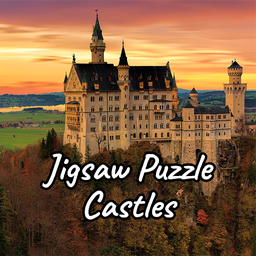
Jigsaw Puzzle Castles is a dedicated collection of castle imagery — historical fortresses, fairy-tale structures, crumbling ruins, elegant palaces. If you want your puzzles to have a sense of grandeur and history behind each image, this one delivers.
Jigsaw Puzzle Castles
Staring at a blank screen during your lunch break is a recipe for boredom that requires an instant solution. Jigsaw Puzzle Castles turns those spare m...
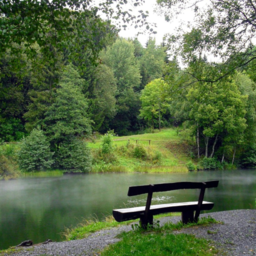
▶ Play FreeForest Jigsaw Puzzles covers dense woodland landscapes — misty morning light through trees, autumn color canopies, quiet forest paths. These puzzles have a reputation for being slightly harder than architecture-based ones because large sections of similar green tones require careful piece shape matching rather than color matching alone. Good challenge for intermediate players.
Forest Jigsaw Puzzles
Drag and snap scattered pieces together to reveal stunning high-resolution forest landscapes that bring nature right to your screen. Forest Jigsaw Puz...
▶ Play FreeCities Jigsaw Puzzle focuses on urban environments — skylines, aerial city views, famous street scenes, architectural landmarks. If you enjoy travel or geography, these puzzles give each solve an extra layer of interest beyond the mechanics themselves. Recognizing locations mid-puzzle is genuinely satisfying.

Cities Jigsaw Puzzle
Urban landscapes hold a unique charm that transforms every street corner into a potential masterpiece when broken into fragments. Cities Jigsaw Puzzle...
▶ Play FreeFor Artistic and Imaginative Imagery
Magic Jigsaw Puzzles stands out with a curated selection of fantastical, imaginative artwork. The image quality here is noticeably above average — these are the kinds of puzzle images you'd genuinely want on a wall when finished. Recommended for anyone who finds standard photography puzzles a bit generic.
Magic Jigsaw Puzzles
Fans of logic challenges and relaxing pastimes will find Magic Jigsaw Puzzles to be the ultimate digital escape. This engaging jigsaw experience turns...
▶ Play FreeNature in Jigsaw: Collect and Admire adds a light progression mechanic to the standard puzzle format — complete puzzles to unlock and "collect" nature scenes in a growing gallery. The collection loop gives longer sessions a sense of accumulation and reward beyond just the solve itself.
For a Twist on Classic Jigsaw
If you want to play jigsaw games but with a genuinely different twist, Jigsaw Blocks blends classic puzzle assembly with block puzzle mechanics. Instead of irregular organic shapes, you're working with geometric pieces that need to fit together to reconstruct an image. The hybrid format is unexpectedly addictive — it appeals to people who enjoy both puzzle categories.

Jigsaw Blocks
Fans of calming visual challenges will find their new favorite pastime in Jigsaw Blocks, a creative blend of classic piece-matching and modern block m...
▶ Play Free