Shunya: cell drawing
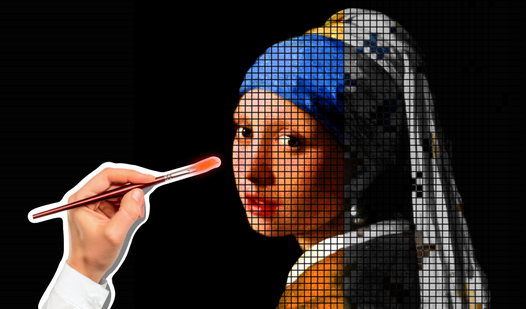
Staring at a blank screen while the kids climb the walls is a situation every parent knows all too well. Shunya: cell drawing is the perfect digital solution to keep little ones engaged with a creative and calming activity. This colorful рисовалка uses a grid-based system that makes art accessible for every toddler and preschooler. Players choose between guided templates or a blank canvas to explore their artistic side. By simply selecting colors from the sidebar, kids fill in individual squares to reveal hidden pictures or original creations. The game includes fifty unique templates to ensure there is always a new challenge to master. For older kids, the free-form mode acts as a powerful tool for experimenting with pixel-art designs and geometric patterns. Every completed section earns stars, providing a rewarding sense of progress and accomplishment. You can play this engaging рисование activity directly in your browser with zero downloads required.

Loading...

Shunya: cell drawing
⭐ 4.1

About game

Staring at a blank screen while the kids climb the walls is a situation every parent knows all too well. Shunya: cell drawing is the perfect digital solution to keep little ones engaged with a creative and calming activity. This colorful рисовалка uses a grid-based system that makes art accessible for every toddler and preschooler. Players choose between guided templates or a blank canvas to explore their artistic side. By simply selecting colors from the sidebar, kids fill in individual squares to reveal hidden pictures or original creations. The game includes fifty unique templates to ensure there is always a new challenge to master. For older kids, the free-form mode acts as a powerful tool for experimenting with pixel-art designs and geometric patterns. Every completed section earns stars, providing a rewarding sense of progress and accomplishment. You can play this engaging рисование activity directly in your browser with zero downloads required.

How to play

This is a drawing game where you can color according to prompts (a library of 50 pictures is built in) or freely color pixels. The choice will be available by clicking on one of the two icons.
Then the child gets to the creative table, where by selecting a color on the left side of the palette you can start drawing on the cells.
In the "stencil" mode on the field will appear a faint hint of the desired image, repeating after which the kid will easily go to the goal. From above will be colored stars as the progress of filling all the cells.
For coloring you can choose any of the 50 drawings by clicking on the arrows "forward" or "backward". All of them are of different complexity and themes.
If the child wants to start again coloring a given blank, just press the "garbage" button and the field will again take its original form with a hint, and to exit to the main menu - "house".
In the free drawing mode the "trash" button will allow to completely clear the coloring field.

Features

  • Guided Stencil Mode: Follow faint background hints to complete pre-designed patterns while learning color recognition.
  • Creative Freedom: Utilize the empty grid canvas to design custom pixel characters and complex geometric shapes.
  • Progress Tracking: Earn shimmering stars at the top of the screen as you successfully fill in the pixel grid.
  • Intuitive Interface: Navigate menus with simple icons like home and reset to ensure toddlers can play without constant help.
  • Dynamic Palette: Switch between a variety of vibrant colors instantly with a single tap on the side menu.

Who is it for

Parents looking for educational screen time for toddlers and preschoolers will find this tool invaluable. It is also great for young fans of pixel art who want to practice drawing by patterns. The simple mechanics provide a gentle introduction to digital art and shapes for children of all ages.

Controls

Select color Tap or click on a color swatch in the left-hand palette.
Fill cell Tap or click an empty square on the grid to apply the selected pigment.
Navigate templates Use the forward and backward arrows to scroll through the library of fifty images.

FAQ

Is Shunya: cell drawing safe for toddlers to play alone?

Yes, Shunya: cell drawing features an intuitive interface with audio and visual hints designed specifically for young children.

Can my child create their own art in Shunya: cell drawing?

Absolutely, Shunya: cell drawing includes a free-form mode where children can draw anything they imagine on a blank checkered canvas.

Does Shunya: cell drawing require a high-end device?

No, it is a lightweight browser game optimized for smooth performance on both mobile devices and desktop computers.

Screenshots

Shunya: cell drawing — screenshot 1Shunya: cell drawing — screenshot 2Shunya: cell drawing — screenshot 3Shunya: cell drawing — screenshot 4Shunya: cell drawing — screenshot 5Shunya: cell drawing — screenshot 6Shunya: cell drawing — screenshot 7Shunya: cell drawing — screenshot 8

Popular games