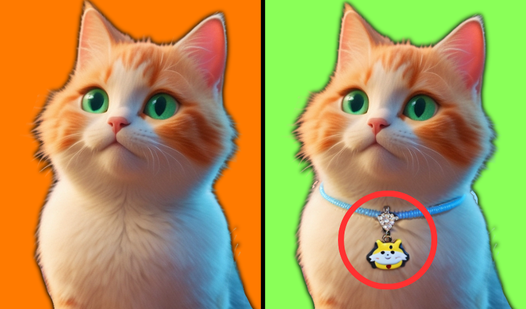
How to Play Spot The Difference: Tips to Win
If you've ever stared at two nearly identical images and wondered how people find all the differences so quickly, you're not alone. Learning how to play Spot The Difference is easy — the rules take about ten seconds to understand. But actually getting good at it? That takes a bit of strategy. This guide breaks down everything from the basic rules to pro-level scanning tricks so you can clear every level with confidence.
Whether you're playing Spot The Difference games online free with your kids or grinding through a tricky puzzle solo, these tips apply across the board.
Basic Rules of Spot The Difference
The premise is simple: two images are placed side by side (or one above the other), and a set number of differences have been hidden between them. Your job is to find all of them before the timer runs out — or just for the satisfaction of it.
Here's the standard setup you'll encounter across most versions:
Number of differences. Most games tell you upfront how many changes are hidden. Classic puzzles hide 5–10 differences. Harder ones might hide 15 or more. Always check this number before you start — it anchors your progress and tells you when to keep looking versus when you can relax.
Interaction. In online and mobile versions, you click or tap on the spot in either image where you see a difference. Some games accept taps on both images; others only register taps on one side. A correct tap usually triggers a visual highlight (a circle, glow, or checkmark). An incorrect tap often costs you a penalty — a time deduction or a strike.
Timer and scoring. Competitive modes add a countdown clock. Speed matters, but accuracy usually matters more. Three wrong taps can end your run in games that use a lives system. Prioritize correct finds over fast guesses.
Hints. Most games offer hint buttons that highlight one difference for you. Use them strategically — save them for the last one or two differences that are driving you crazy, not as a crutch from the start.
That's genuinely the whole rulebook. The difficulty comes entirely from the visual design, not from complex mechanics.
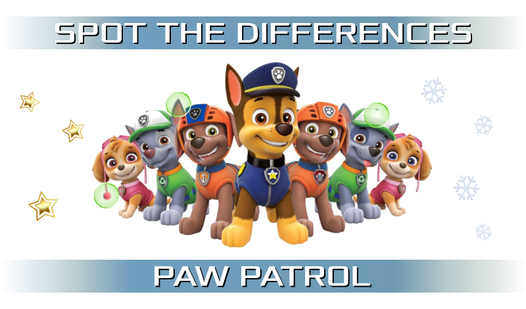
One of the friendliest places to start learning how to play Spot The Difference is with a familiar theme. PAW PATROL delivers that perfectly — the colorful scenes are visually rich but organized, so differences stand out once you know where to look.

Spot the differences: PAW PATROL
Staring at the screen during a boring break and craving a quick mental refresh is a common struggle during busy days. Spot the differences: PAW PATROL...
▶ Play FreeAge ratings and accessibility. Spot The Difference games span from toddler-friendly (large, obvious changes) to eye-straining expert levels where a single pixel has been shifted. If you're playing with younger kids, filter toward games with big clear images and generous timers. If you want a challenge, look for games with subtle color shifts and tiny object swaps.
Scanning Techniques That Work
Most beginners approach Spot The Difference the same way: they stare at both images and hope a difference jumps out. This works occasionally but it's inefficient and leads to frustration on harder puzzles. Here are structured scanning methods that consistently produce faster results.
The grid scan. Mentally divide both images into a 3×3 or 4×4 grid. Work through each cell systematically — top-left to bottom-right. You're not looking for differences yet; you're just building familiarity with each section. On the second pass, start comparing cell by cell. This method prevents you from fixating on one area and missing changes in the corners.
The sweep technique. Move your gaze in slow horizontal rows from top to bottom across both images simultaneously. Think of it like reading — left to right, line by line. Your peripheral vision will often catch changes before your focused gaze does. Don't rush the sweep; a slow, deliberate pass beats a frantic scan every time.
Blur your vision intentionally. This sounds counterintuitive but it works. Slightly unfocus your eyes so the images become slightly blurry. Changes in shape, color blocks, and missing elements often pop out immediately at this level of blur, while fine details (which can distract you) fall away. Once something catches your attention, refocus and confirm.
Alternate fixation. Pick a specific reference point in one image — a character's eye, the corner of a building, a distinctive object. Flick your gaze back and forth between the same point in both images rapidly. Small differences become very apparent through this rapid alternation because your visual memory is doing the comparison automatically.
Worldtrip Find the Differences gives you lush, travel-themed scenes that are ideal for practicing the grid scan method — each location is packed with environmental details that reward systematic searching.
Worldtrip Find the differences
Staring at the clock waiting for your shift to end or just need a quick mental escape from your daily routine? Worldtrip Find the differences is the p...
▶ Play FreeUse the edges. Designers love hiding changes at the borders of images — along the frame, at the very top or bottom strip, near corners. After your main scan, always do a dedicated pass along all four edges of the image. You'll be surprised how often this reveals the final stubborn difference.
Change perspective. If you're stuck, physically move back from your screen. Distance reduces the detail noise and helps your brain process the overall composition differently. Alternatively, zoom out in your browser or app. A change that's invisible at 100% zoom sometimes becomes obvious at 75%.
Work by category. Instead of scanning randomly, dedicate one full pass to a single category: colors only, then shapes only, then text or numbers, then objects, then backgrounds. Categorized passes are slower upfront but they're far more thorough than random general scanning.
Find the differences Simbochka Pimp is a great game for practicing these techniques — the bright, distinct art style and the music-driven atmosphere make it easier to stay focused during long scanning sessions.
Find the differences Simbochka Pimp
Training your brain to spot tiny visual inconsistencies is a classic way to sharpen focus while having a blast. Find the differences Simbochka Pimp ta...
▶ Play FreeCommon Tricks Game Designers Use
Once you understand how game designers hide differences, you start seeing through their tricks. Here are the most common techniques used to fool players — and how to beat each one.
Color value shifts. One of the most common tricks is changing a color slightly — not dramatically. A red apple becomes a slightly darker red. A blue sky gets a hint of green. These changes are almost impossible to spot unless you're specifically looking for color inconsistencies. On your color-dedicated pass, compare saturation and brightness, not just hue.
Object removal. An element present in one image is simply absent from the other. Buttons on a shirt, a bird on a wire, a star in the sky. Removals are deceptively hard to notice because your brain auto-completes familiar scenes. Slow down and count objects: how many windows in this building? How many flowers in this garden?
Mirroring. A design element gets flipped horizontally or vertically. A logo faces left in one image, right in the other. Text is reversed. A character's expression is mirrored. This is particularly tricky with symmetrical objects.
Size changes. One object is slightly larger or smaller than its counterpart. A coin, a button, a wheel — any circular object is a prime candidate. The change is usually subtle: 10–15% size difference rather than 50%.
Added details. A stripe is added to a shirt. An extra window appears in a building. A background tree gains a branch. These additions feel "complete" to the eye because the image looks finished either way. Train yourself to question every detail: should this stripe be here?
Text and number swaps. In scenes with visible text — signs, books, labels — designers often change a letter or number. These require you to actually read the text rather than just scan visually. Don't skip text-heavy areas.
Spot the Cat. Hidden Cats flips the genre slightly — instead of pure side-by-side comparison, you're hunting for hidden elements within a single scene. The skills transfer directly: systematic scanning, checking edges, questioning whether that shape really belongs there.
Spot the Cat. Hidden Cats
Scan every inch of vibrant, hand-drawn scenes to find the cat hiding in plain sight. Spot the Cat. Hidden Cats turns your screen into a massive scaven...
▶ Play FreeShadow and lighting changes. A shadow is removed, lengthened, or shifted direction. This is rare in simpler games but common in harder ones. Check whether shadows match the implied light source in both images.
Pattern breaks. In images with repeating patterns — wallpaper, floor tiles, fabric — one tile or section might have an altered pattern. These are notoriously difficult because the repetition itself is hypnotic. When you encounter pattern-heavy images, slow down and check each repetition individually.
Background swaps. The distant background — a skyline, a mountain range, a simple color gradient — gets subtly altered. Most players ignore backgrounds because they seem unimportant. Designers know this.
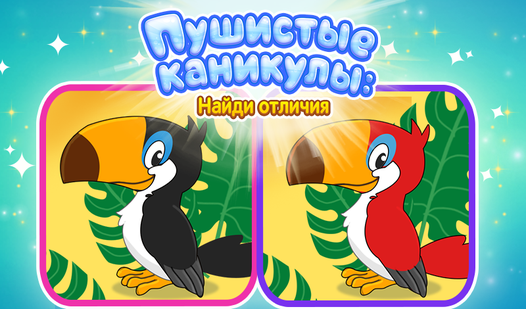
Fluffy Holidays: Spot the Differences wraps these exact designer tricks in a festive, cute package. The holiday theme means lots of patterns, decorative details, and color blocks — perfect for training your eye against the most common hiding techniques.
Fluffy Holidays: Spot the Differences
Scan two nearly identical scenes to identify subtle variations before your opponents beat you to the punch. Fluffy Holidays: Spot the Differences turn...
▶ Play FreeHow to Improve Your Observation Skills
Spot The Difference isn't just entertainment — it's a genuine workout for your attention, visual memory, and pattern recognition. Here's how to build those skills systematically.
Play daily, even briefly. Consistency matters more than session length. Ten minutes a day across a week builds stronger pattern recognition than a two-hour session once. Your visual cortex adapts to the task over time, and short regular sessions accelerate that adaptation.
Replay levels intentionally. Most players move on as soon as they clear a level. Instead, replay it once without hints and try to beat your previous time. Replaying familiar scenes forces your brain to process visual information more efficiently rather than leaning on memory shortcuts.
Play against a timer even in untimed modes. Set your own time limit. This creates productive pressure that trains faster processing. Start with generous limits and tighten them as you improve.
Practice with static puzzles offline. Old-fashioned printed Spot The Difference puzzles from magazines or puzzle books are still excellent for building the skill. No animations, no sound, no UI — just two images and your eyes. The absence of digital aids forces pure observation.
Study what you missed. After a level ends and all differences are highlighted, study each one. Ask yourself: why did I miss this? Was it color, position, size? Building a personal taxonomy of your blind spots lets you compensate for them deliberately in future games.
Alice: Land of Differences offers beautifully illustrated scenes with layered complexity — a great game for pushing your observation skills once you've got the basics locked down.

Alice: Land of differences
Spot the hidden discrepancies between two seemingly identical images to sharpen your sharp eye for detail in Alice: Land of differences. You must scan...
▶ Play FreeTrain peripheral vision. Hold your phone or sit at a fixed distance from your screen and practice noticing what's in your peripheral field without moving your eyes. Peripheral vision is underused in Spot The Difference but it's incredibly effective at catching shape and color anomalies.
Cross-train with other visual puzzles. Hidden object games, Where's Waldo-style searches, and visual illusion puzzles all exercise overlapping skill sets. Variety in your visual puzzle diet prevents the brain from over-optimizing for one specific task pattern.
Take breaks to reset your visual memory. After 15–20 minutes of focused searching, your perception literally degrades — you stop seeing what's there and start seeing what you expect. A two-minute break resets this. Don't force yourself through mental fatigue; it trains bad habits.
Find the Difference Master is specifically designed for players leveling up their skills, with a range of difficulty settings and precisely constructed scenes that reward the techniques above.
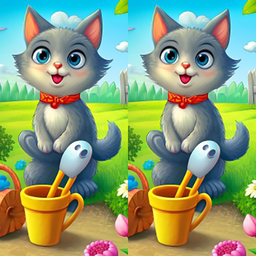
Find the Difference Master
Stuck in a boring meeting or just waiting for your coffee to brew, you need a quick mental escape to sharpen your focus. Find the Difference Master is...
▶ Play FreeTeach someone else. Explaining how to play Spot The Difference to a beginner forces you to articulate your own process. This metacognition — thinking about how you think — makes your strategies explicit and improvable rather than vague and intuitive.
Embrace themed variety. Different themes train different skill areas. Nature scenes train color distinction. Urban environments train shape and line recognition. Character-heavy scenes train facial and clothing detail awareness. Rotating through genres keeps your skills broad.
Pirates of 7 Differences brings atmospheric environments and adventure-themed scenes that are fantastic for training shape recognition and object-detail awareness in one package.
Pirates of 7 Differences
Stuck in a boring meeting or just waiting for the bus, you need a quick mental escape that keeps your brain sharp. Pirates of 7 Differences is the per...
▶ Play FreePlaying during different times of day also matters — your visual acuity and attention actually vary with your energy levels. If you're finding games particularly difficult, try playing at a different time before assuming the puzzle is just too hard.
Seasonal and themed puzzles offer an extra layer of training because they include context-appropriate objects you might not normally look for. Find the Differences: Animals & New Year 2024 packs holiday decorations, animals, and celebration imagery into dense scenes that cover multiple skill areas simultaneously.
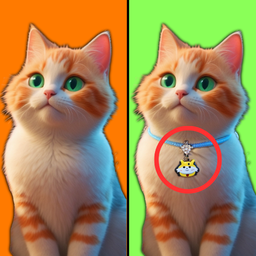
Find the Differences: Animals & New Year 2024
Spotting tiny visual discrepancies is a classic brain teaser that keeps your mind sharp while providing a relaxing escape from daily routines. Find th...
▶ Play FreeFor players who want something edgier and more intense, FNaF find all 10 differences applies these exact skills in a dark, atmospheric setting. The tension of the theme keeps you focused and alert — which is actually ideal for training under pressure.
FNaF find all 10 differences
Fans of the iconic five nights at freddy horror series will love testing their sharp eyes with this challenging puzzle experience. You must carefully ...
▶ Play FreeBest Spot The Difference Games to Play Right Now
If you want to put all these techniques to the test, the best Spot The Difference games online free are those that match your current skill level and offer genuine variety in scene design. Look for games with clear art direction, honest difficulty scaling, and enough levels to actually build your skills over time rather than just test them once.
The best Spot The Difference games tend to share a few qualities: scenes that are visually interesting (so you stay engaged), a clear indication of how many differences remain, and art that doesn't use visual noise to artificially obscure changes. Cheap difficulty through blurry compression or absurdly small images isn't good design — it just punishes players rather than challenging them fairly.
The games featured throughout this guide represent a solid cross-section of what's available: child-friendly options, themed adventures, character-driven puzzles, and atmospheric challenges. Try a few, notice which scanning techniques click best for you in each style, and build from there.