How to Play Driving Games Online — Controls, Drifting & Tips
If you've ever wondered how to play driving games properly — not just mash the gas and crash into walls — you're in the right place. Browser driving games have come a long way from the pixelated racers of the early internet era. Today's free online titles feature realistic physics, open-world maps, and mechanics that genuinely reward skill. Whether you're just starting out or you've been playing for years but want to tighten up your technique, this guide covers everything: keyboard controls, drifting, camera management, and the mental habits that separate fast drivers from frustrated ones.
Let's get into it.
Basic Controls for Browser Driving Games
The first thing most new players get wrong is assuming that driving games online free work exactly like console racers. They often don't. Browser titles use your keyboard as the primary input, and that changes everything about how you approach car control.
The Standard Keyboard Layout
Almost every browser driving game uses the same base setup:
- Arrow keys or WASD — steering and acceleration
- Up arrow / W — accelerate
- Down arrow / S — brake and reverse
- Left/Right arrows or A/D — steer left and right
- Space bar — handbrake (essential for drifting)
- C or V — toggle camera view
- R — reset car position if you flip over
Some games add extra bindings for nitro (usually N or Shift), horn, or lights. Always check the in-game controls menu before your first race — spending 30 seconds there saves you a lot of confusion mid-race.
Throttle Control Is Everything
On a controller, you ease into the gas with analog pressure. On a keyboard, it's binary: full throttle or nothing. This is the core challenge of browser driving games. You need to compensate with timing — tap the gas instead of holding it through tight corners, and use short bursts rather than one long press when you're trying to maintain traction on gravel or slippery surfaces.
The braking system follows the same logic. Tapping the brake rather than holding it prevents your car from locking up and going into an uncontrolled spin. Think of it like ABS — short pulses of pressure.
Camera Angles Matter More Than You Think
Most driving games online free offer two or three camera perspectives: a third-person view behind the car, a hood cam, and sometimes a cockpit view. Beginners almost always use the third-person view, which makes sense — you can see more of the road ahead. But as you improve, try the hood cam. It gives you a much better feel for where the front of the car actually is, which helps enormously during tight turns and parallel parking missions.
City Car Driving is one of the best games for mastering these fundamentals. It's a full urban simulator with realistic physics and mission-based objectives that actually teach you how to drive — not just how to go fast. The city environment forces you to deal with intersections, traffic, and variable road conditions, which makes you a genuinely better driver in every other game.
Drifting Techniques for Online Racing
Drifting is the crown jewel of driving game skill. It looks incredible when done right, and it's often faster than simply taking a corner normally — if you know what you're doing. The mechanics vary between games, but the core technique is consistent across almost all driving games online free.
The Handbrake Entry
This is the most common way to initiate a drift:
- Approach the corner at speed — don't slow down too much
- Start turning in the direction you want to go
- Tap the Space bar (handbrake) briefly — not held, just a quick press
- The rear wheels will lose traction and kick out
- Counter-steer in the opposite direction to control the slide
- Feed the throttle steadily to maintain the drift angle
- Release counter-steer and straighten up as you exit the corner
The handbrake tap needs to be precise. Hold it too long and you'll spin completely. Too short and nothing happens. Practice this on a wide open area first — many driving games have free roam modes exactly for this purpose.
Throttle-Induced Drift
In high-power rear-wheel-drive cars, you can initiate a drift without touching the handbrake at all. Simply overpower the rear wheels on corner entry by flooring the accelerator as you turn. The tires break traction naturally and the rear slides out. This technique gives you more control and is actually faster in most cases, but it requires a car with enough power and rear-wheel drive.
Extreme Car Driving Simulator is perfect for practicing drift techniques. It throws you into an open sandbox environment with high-performance cars and no traffic to worry about, so you can spend as long as you want nailing the timing on that handbrake entry without any pressure. The physics feel genuinely satisfying when a drift comes together.
Feint Drifting (Scandinavian Flick)
This one's advanced but worth learning. Before turning into a corner, briefly flick the car in the opposite direction first, then quickly transfer weight back. The momentum swing loads weight onto the outside tires and makes the car rotate more aggressively into the corner. It's the same technique rally drivers use on loose gravel stages, and it works surprisingly well in browser games that have realistic weight transfer.
Maintaining and Controlling the Slide
Once you're in a drift, the challenge is keeping it going without spinning. Two inputs control your drift angle:
- Throttle — more gas increases the angle and keeps the rear sliding out
- Counter-steer — turning toward the slide catches the car and reduces the angle
The balance between these two is the actual skill. Practice looking where you want to go, not where the car is pointing — your hands (or fingers, technically) will naturally adjust steering when your eyes are on the target.
Ultimate Car Driving Simulator takes the sandbox experience further with a deep customization system. You can tune suspension, gear ratios, and tire grip to specifically optimize your car for drifting or grip racing. If you want to understand how vehicle setup changes driving behavior, this is the game to spend time with.
Common Mistakes Beginners Make
Learning how to play driving games efficiently means knowing what not to do just as much as knowing what to do. These are the mistakes that hold most players back.
Oversteering Into Every Corner
New players tend to throw the wheel hard into corners and hope for the best. The result is usually either an understeer run-wide moment or a snap oversteer spin. The fix is simple: approach corners wider than you think you need to, turn in later than feels natural, and trust the car to respond. The late apex technique — turning in late so you exit the corner on a straighter line — is faster in almost every situation.
Never Using the Brake
Counterintuitively, going faster in a racing game often means braking more, not less. Carrying too much speed into a corner forces you to run wide, lose time recovering, and sometimes crash. Brake in a straight line before the corner, get the car slowed down to the right speed, then accelerate smoothly out. This "slow in, fast out" rhythm is the foundation of lap time improvement.
Ignoring the Minimap
Every racing game has a minimap for a reason. Check it constantly. It tells you what's coming up before you can see it on screen, giving you time to position the car correctly, brake at the right point, and choose your racing line. Players who ignore the minimap are always reactive; players who use it are proactive.
Amazing Driving is an excellent game to practice highway driving fundamentals without the pressure of lap times or objectives. You drive on a flowing highway, weaving through traffic and earning money for upgrades. It's the kind of relaxed environment where you can focus purely on car control — smooth inputs, clean lane changes, and building the muscle memory that transfers to faster, more demanding games.
Resetting Instead of Recovering
When a car flips or gets stuck, the instinct is to immediately hit the reset button. Resist this. Learning to rock the car out of awkward positions, reverse out of crashes, and recover from spins is a genuinely useful skill. It also keeps your momentum — many games penalize resets with time additions or position drops.
Choosing the Wrong Car
In games with multiple vehicle options, beginners often pick the fastest car on the list. Bad idea. Fast cars are twitchy and unforgiving, and they punish small mistakes harshly. Start with mid-tier vehicles that have balanced handling. Once you can consistently drive a 400hp car cleanly, step up. The skills transfer; the frustration doesn't.
Best Free Driving Games for Practice
Now that you have the fundamentals, here's a breakdown of the best places to actually put them into practice. These are all free to play in your browser — no downloads, no accounts required.
For Urban Driving and Simulation
City Car Driving stands out as the most realistic urban simulator available in-browser. The mission structure takes you through progressively harder driving scenarios — parallel parking, highway merging, night driving in rain — making it genuinely educational. If you want to understand how real car physics translate to a game environment, start here.
For High-Speed Drifting and Stunts
Extreme Car Driving Simulator and Ultimate Car Driving Simulator are the go-to titles for players who want pure sandbox freedom. Both offer open worlds, realistic physics, and enough customization to tune cars for specific driving styles. The key difference is that Ultimate Car Driving Simulator has a more extensive modification system, while Extreme Car Driving Simulator focuses on raw driving feel.
For Highway Driving and Traffic Navigation
Amazing Driving keeps things simple in the best way. No laps, no checkpoints — just an endless highway and the challenge of staying alive while earning upgrade money. It's meditative in a way that more complex racers aren't, and it teaches smooth inputs and patience better than any timed event.
For Truck Handling and Heavy Vehicle Control
Extreme Truck Driving is a completely different experience from sports car games. Semi-trucks handle nothing like passenger cars — they're heavy, slow to react, and require you to plan movements several seconds in advance. The obstacle tracks in this game are specifically designed to punish impatience and reward methodical driving. After spending time with heavy vehicles, your appreciation for car control in lighter vehicles improves dramatically.
For Street Racing and Open Worlds
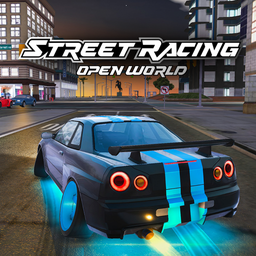
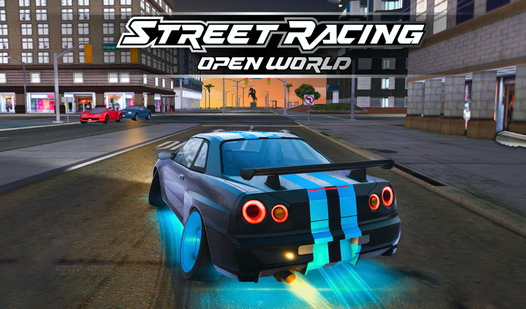
Street Racing: Open World
Staring at a blank screen during a midday slump is the worst, but finding an instant escape is easier than you think. Street Racing: Open World turns ...
▶ Play FreeStreet Racing: Open World combines the freedom of sandbox driving with structured racing events. You can cruise the open world to learn the map, then test your skills in competitive races against AI opponents. The progression system gives you a reason to keep improving.
More Games Worth Trying
If you're looking to build out your driving game repertoire, here's a solid selection across different styles:
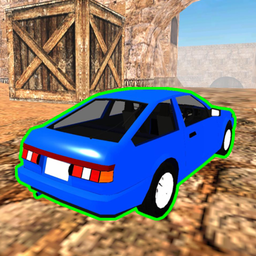
Driving on Dust
Smash high-performance vehicles into jagged barriers and watch the metal crumple in real time with Driving on Dust. Every impact translates into reali...
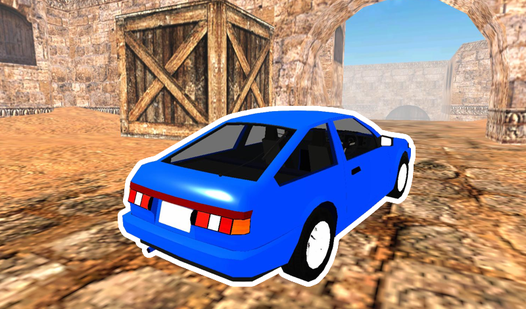
▶ Play FreeDriving on Dust puts you on loose, unpredictable off-road surfaces where throttle control and weight transfer are critical. Entirely different feel from tarmac racing, and a great way to improve your feel for traction limits.
French Driving captures the chaotic, aggressive driving culture of French urban roads — tight gaps, fast lane changes, and a constant need to read traffic several cars ahead.
Driving BMW focuses specifically on the handling characteristics of BMW vehicles, which are known for their balanced, driver-focused dynamics. If you want to practice rear-wheel-drive handling in a more grounded setting, this is a good choice.
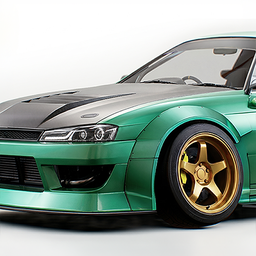
NSR Street Racing
Hit the asphalt and dominate the neon-drenched streets in NSR Street Racing! This pulse-pounding free browser game throws you into a world of high-oct...
▶ Play FreeNSR Street Racing delivers classic street racing energy — tuned cars, night city environments, and competitive events that reward consistent fast lap times.

SpeedBoy 3: Chase in Sochi
Stuck in a boring afternoon with nothing to do and a serious need for some digital chaos? SpeedBoy 3: Chase in Sochi is the ultimate antidote to bored...
▶ Play FreeSpeedBoy 3: Chase in Sochi adds a police chase element to the mix, forcing you to think about escape routes, traffic reading, and sustained high-speed driving under pressure.
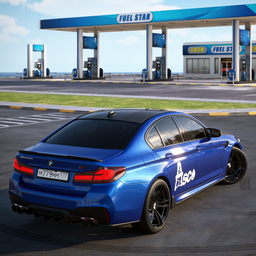
Driver Online Cars
Staring at a blank screen while your coffee gets cold is the perfect signal that you need a high-octane escape. Driver Online Cars turns your browser ...
▶ Play FreeDriver Online Cars is a multiplayer-leaning title where the competition is human, not AI — which changes the dynamic completely. Reading other players, defending positions, and choosing when to risk an overtake are skills that only come from racing real opponents.
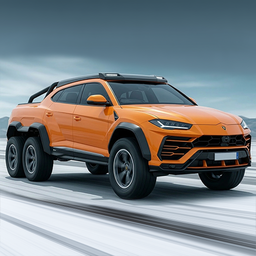
Track Masters 3D
Master high-speed drift maneuvers and execute perfect overtakes as you climb the leaderboard in Track Masters 3D. Players navigate intense racing circ...
▶ Play FreeTrack Masters 3D focuses on clean lap times on defined circuits. If you want to practice the pure art of racing lines without traffic or open-world distractions, this is where to go.
Building a Practice Routine
Improving at driving games isn't about playing more hours — it's about playing with intention. Here's a framework that actually works.
Session 1 — Fundamentals: Pick one game and spend the entire session only thinking about one thing. Braking points. Or turn-in timing. Or camera management. Don't try to fix everything at once.
Session 2 — Consistency Over Speed: Run the same route or track repeatedly and focus on doing the same thing every lap. Consistency is faster than occasional brilliance.
Session 3 — Push the Limit: Now go fast. Take risks you normally wouldn't. Push the car beyond the limit intentionally so you can feel where the edge is, then bring it back.
Session 4 — Different Game: Switch to a game with different physics. The contrast teaches you what's universal (weight transfer, racing lines) versus what's game-specific (grip levels, car response).
This rotation keeps sessions fresh and ensures you're building transferable skills rather than muscle memory that only works in one game.