About game
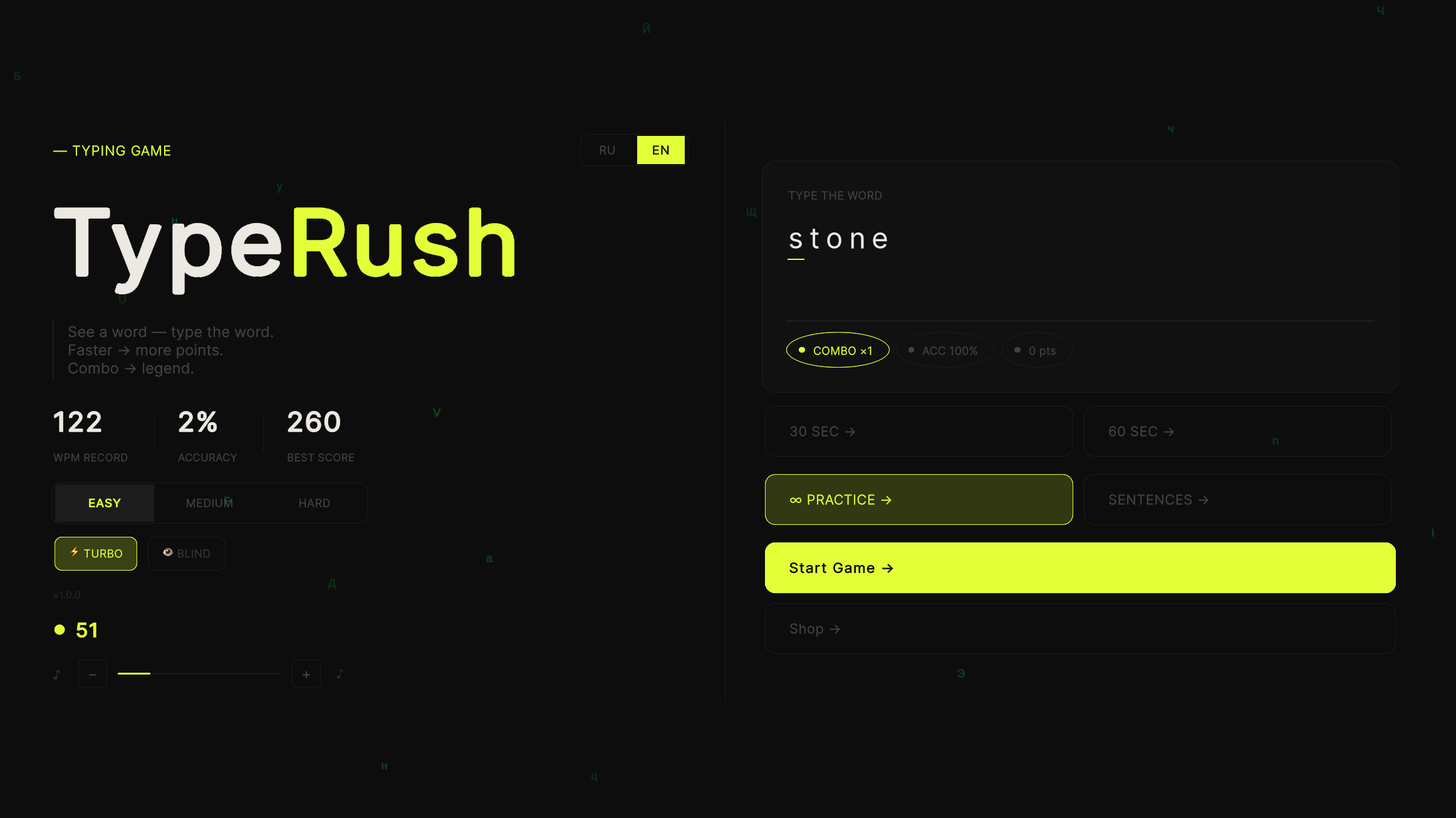
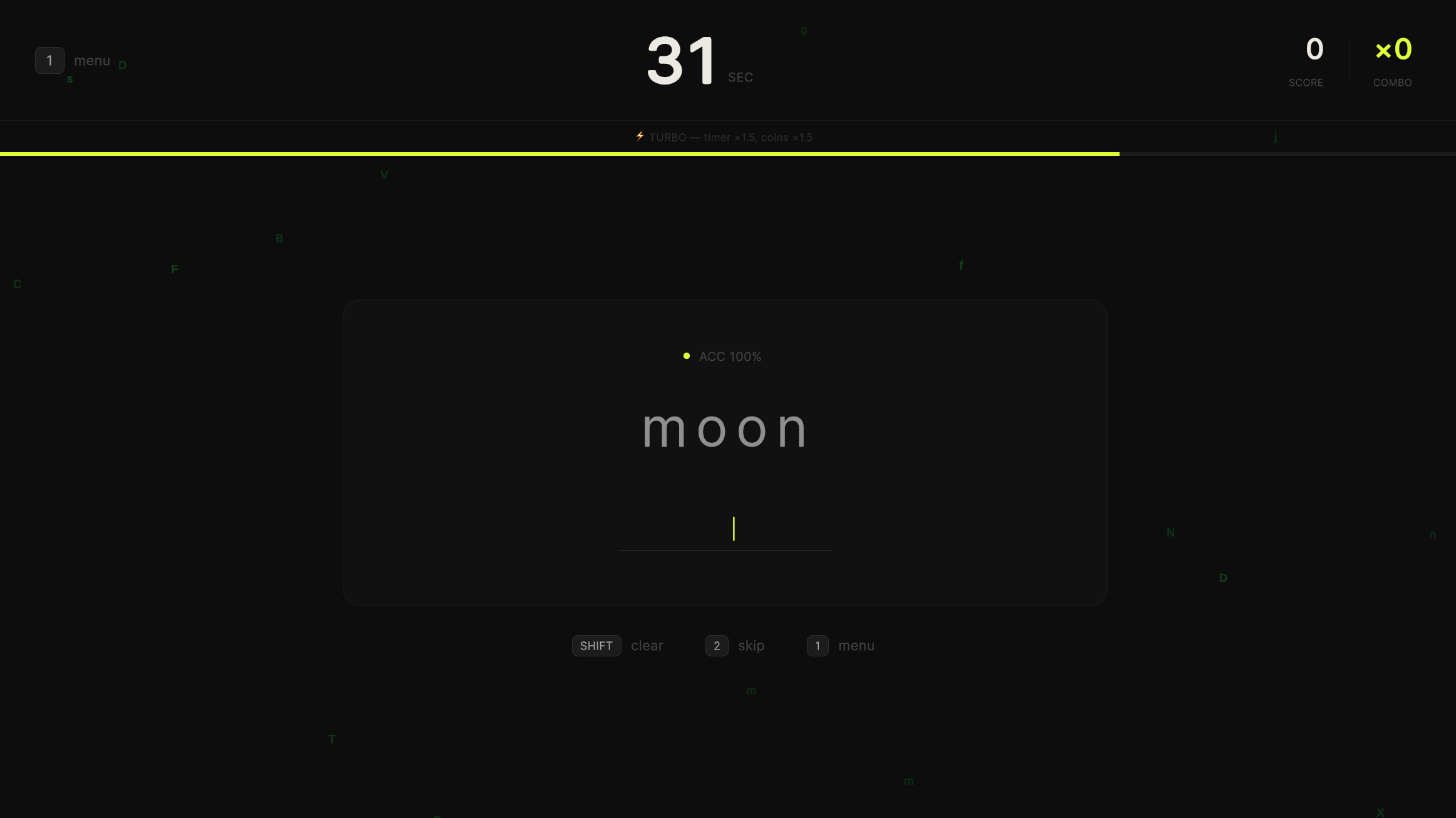
Staring at a blank screen while waiting for a file to download makes every second feel like an eternity. TypeRush turns those dull moments into a competitive typing game that sharpens your reflexes. You simply see a word on the screen and hammer it out on your keyboard as fast as your fingers allow. High accuracy builds your combo meter, which boosts your final score significantly. Training sessions range from thirty-second sprints to endless practice rounds without any ticking clock. Turbo mode pushes your limits by speeding up the timer, while Blindfold mode demands you memorize sentences before they vanish. Earning coins lets you unlock fresh color themes or specialized word packs to keep your sessions feeling new. You can play TypeRush right now in your browser without wasting time on downloads.
How to play
TypeRush is easy to learn but hard to put down. Here is how to get started:
Choose your game mode — 30 seconds for a quick round, 60 seconds for serious training, infinite practice with no timer, or sentences mode to improve your typing flow.
Press any key — the timer starts automatically with your first letter. Type words or sentences as fast and accurately as possible. Every correct word builds your combo and score multiplier.
Made a mistake? No panic — just keep typing or press SHIFT to clear the current word and start over. Press 2 to skip a difficult word. Press 1 to return to the main menu.
Want more challenge? Enable Turbo mode — the timer runs faster but you earn bonus coins. Or try Blindfold mode — the sentence disappears after 1.5 seconds and you type from memory.
After each game check your detailed stats — WPM, accuracy, combo and speed graph. Earn coins and unlock new color themes and word packs in the shop!
Features
- Dynamic Difficulty: Use Turbo mode to increase the timer speed or Blindfold mode to practice memory recall.
- Skill Progression: Spend coins on specific word packs like IT terms or advanced vocabulary to expand your typing range.
- Performance Analytics: Analyze your typing patterns through detailed post-game graphs showing your WPM and accuracy trends.
- Flexible Input: Toggle between Russian and English language settings to practice your typing fluency in different alphabets.
Who is it for
Casual players and students looking to boost their WPM count will find this tool useful. Competitive folks who enjoy chasing high scores on a leaderboard will love the combo mechanics. Anyone needing a quick mental break between tasks can use these short rounds to improve their keyboard skills.
Controls
Type letters
Use your physical keyboard to enter characters or tap the on-screen keyboard on mobile devices.
Clear word
Press the SHIFT key or tap the backspace-style indicator to reset a word.
Skip word
Press the 2 key on your keyboard or select the skip button on your touch screen.
Menu navigation
Press the 1 key or tap the back button to return to the main selection screen.
FAQ
Can I play TypeRush on my mobile device?
›
Yes, TypeRush is fully optimized for touch screens so you can practice your typing on the go.
Is TypeRush free to play?
›
Absolutely, you can enjoy all the game modes and themes in TypeRush without paying a cent.
Do I need to create an account to save progress in TypeRush?
›
No registration is required to play TypeRush, as your coins and stats stay saved in your browser.