About game
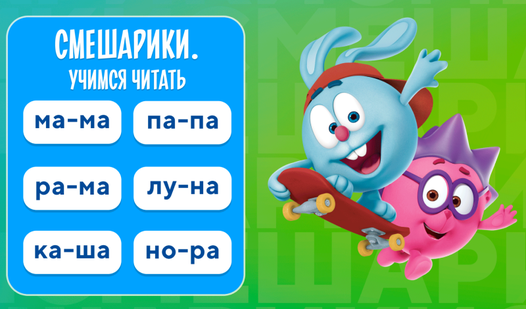
Mastering the alphabet is often seen as a tedious chore, but turning it into a vibrant adventure changes everything for a curious toddler. Smeshariki. Learning to read transforms essential early literacy lessons into a colorful digital playground where characters guide young minds. You start by selecting letters from the top menu, which immediately unlocks a trio of unique mini-games designed to reinforce that specific character. These tasks focus on recognizing shapes, sounding out syllables, and eventually forming complete words through interactive challenges. As children progress, they earn virtual stickers that reward their effort and build confidence in their new skills. The entire experience is crafted by educational experts to ensure that learning to read feels like a rewarding hobby rather than schoolwork. Beyond the letters, collecting virtual farm pets and garden goods keeps the engagement levels high throughout the session. Everything is accessible directly in your browser with no download required, making it the perfect way to spend a productive afternoon on FreeJoy.games.
How to play
Use the mouse to select a letter of the alphabet in the menu at the top of the screen. After selecting a letter, three mini-games become available — the tasks in each are based on the selected letter! Go through the mini-games and get stickers, which you can then view using the menu in the lower right corner of the screen. You can not only look at each sticker, but also listen to the name of the picture!
Features
- Expert Pedagogy: Lessons are vetted by preschool teachers and psychologists to ensure the curriculum is age-appropriate.
- Sticker Rewards: Every completed task grants a sticker, which can be viewed in a personal collection menu.
- Audio Feedback: Clicking on collected stickers allows children to hear the correct pronunciation of the objects depicted.
- Three-Tiered Challenges: Each letter unlocks three distinct mini-games that test different reading comprehension skills.
- Visual Dictionary: The game helps users build a robust vocabulary by linking letter sounds to farm animals and produce.
Who is it for
Preschoolers aged 3 to 7 years old will find the interface intuitive and the characters engaging. Parents looking for safe, browser-based educational content that supports early literacy development will appreciate the structured approach. It is a fantastic tool for young learners who enjoy interactive rewards and colorful animations.
Controls
Select letters
Click or tap on the letters in the top menu to start a lesson.
Navigate games
Click or tap on the interactive elements within the mini-games to complete tasks.
View collection
Click or tap the menu in the bottom right corner to open your sticker book.
FAQ
Is Smeshariki. Learning to read safe for my toddler?
›
Yes, Smeshariki. Learning to read is designed specifically for children aged 3-7 and contains no inappropriate content.
Do I need to install Smeshariki. Learning to read on my computer?
›
No, Smeshariki. Learning to read runs directly in your web browser without requiring any downloads or plugin installations.
Can children play Smeshariki. Learning to read without adult help?
›
The interface is designed to be intuitive, though younger children may enjoy the experience more if a parent explains the instructions for the first few levels.