Obby: Cut the Grass and Save Brainrot 3D Tycoon
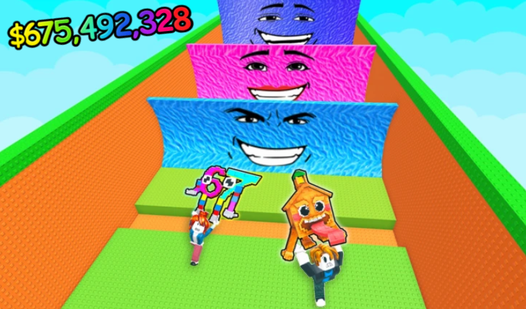
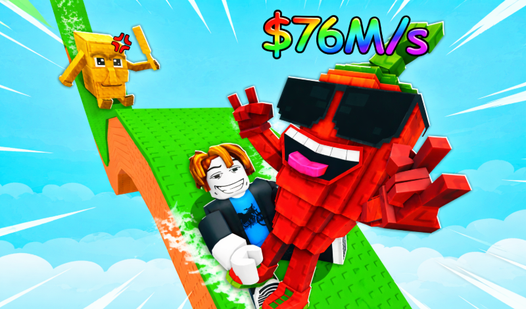
Mowing lawns has morphed into a wild digital hunt where every blade of grass hides a bizarre internet secret. Obby: Cut the Grass and Save Brainrot 3D Tycoon turns mundane yard maintenance into a high-stakes scavenger hunt for rare meme artifacts. You swing your trusty blade through thick fields to clear paths toward hidden treasures like 67 or the elusive Tralalelo Tralala. Earning cash happens fast as you deposit these finds at your base to fuel constant expansion. Upgrading your damage output lets you slice through tougher patches of lawn in seconds. Speed boosts help you zip across the map to beat your own records while gathering a massive collection of brainrot finds. This tycoon experience rewards your hustle with constant progression and new unlockable areas. Jump into the action right now in your browser without any downloads or registration.

Loading...

Obby: Cut the Grass and Save Brainrot 3D Tycoon
⭐ New

About game

Mowing lawns has morphed into a wild digital hunt where every blade of grass hides a bizarre internet secret. Obby: Cut the Grass and Save Brainrot 3D Tycoon turns mundane yard maintenance into a high-stakes scavenger hunt for rare meme artifacts. You swing your trusty blade through thick fields to clear paths toward hidden treasures like 67 or the elusive Tralalelo Tralala. Earning cash happens fast as you deposit these finds at your base to fuel constant expansion. Upgrading your damage output lets you slice through tougher patches of lawn in seconds. Speed boosts help you zip across the map to beat your own records while gathering a massive collection of brainrot finds. This tycoon experience rewards your hustle with constant progression and new unlockable areas. Jump into the action right now in your browser without any downloads or registration.

How to play

On PC:
WASD or arrow keys — movement
Right mouse button — look around
Space — jump
Left mouse button — attack

On mobile:
Joystick — movement
Buttons on the bottom right — jump and attack

Features

  • Meme Collection: Rescue iconic characters like Tun Tun Sahura and add them to your permanent gallery.
  • Economic Growth: Use earned funds to purchase permanent damage multipliers and movement speed stats.
  • Tycoon Mechanics: Build your base footprint by reinvesting your saved brainrot earnings.
  • Dynamic Map: Navigate through various zones that unlock only when you clear specific patches of thick grass.

Who is it for

Casual players who enjoy relaxing arcade loops will love this breezy experience. Fans of lighthearted roblox style challenges will find plenty to collect here. Younger gamers seeking a simple tycoon loop without complex rules can jump in easily. Anyone craving quick sessions of lawn mowing fun fits right in.

Controls

Movement Use WASD or arrow keys on PC and the on-screen joystick on mobile devices.
Attack Press the left mouse button on PC or the dedicated attack button on the bottom right of your screen.
Jump Tap the Space key on a keyboard or the jump button on your mobile interface.
Camera Hold the right mouse button to look around your 3D environment.

FAQ

How do I earn more money in Obby: Cut the Grass and Save Brainrot 3D Tycoon?

You earn income by successfully rescuing meme characters and depositing them at your base. The rarer the brainrot you save, the higher your payout becomes.

Can I play Obby: Cut the Grass and Save Brainrot 3D Tycoon on my phone?

Yes, the game is fully compatible with mobile browsers using touch controls. You can use the virtual joystick and buttons to play anywhere.

What is the goal of Obby: Cut the Grass and Save Brainrot 3D Tycoon?

The main objective is to collect the complete set of internet memes while maximizing your income. You spend your earnings on upgrades to clear grass faster and reach new zones.

Screenshots

Obby: Cut the Grass and Save Brainrot 3D Tycoon — screenshot 1Obby: Cut the Grass and Save Brainrot 3D Tycoon — screenshot 2Obby: Cut the Grass and Save Brainrot 3D Tycoon — screenshot 3Obby: Cut the Grass and Save Brainrot 3D Tycoon — screenshot 4Obby: Cut the Grass and Save Brainrot 3D Tycoon — screenshot 5Obby: Cut the Grass and Save Brainrot 3D Tycoon — screenshot 6Obby: Cut the Grass and Save Brainrot 3D Tycoon — screenshot 7Obby: Cut the Grass and Save Brainrot 3D Tycoon — screenshot 8

Popular games