Cube Factory

Cube Factory

⭐ 4.5

About game

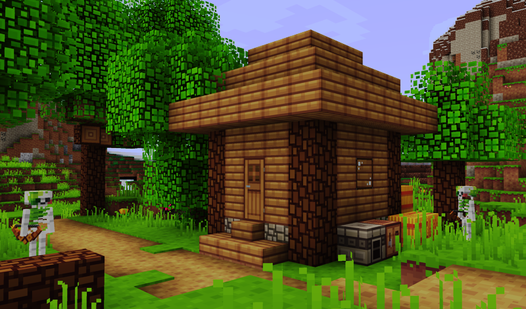
Virtual construction offers a unique way to unleash creativity without worrying about messy physical bricks scattered across your floor. Cube Factory transforms your browser into a limitless digital playground where you can design intricate architecture and vibrant landscapes block by block. You start by selecting from an expansive palette of 68 colors to bring your initial vision to life. The intuitive building system allows you to place, rotate, and delete cubes with precision, ensuring every structure reflects your personal style. Once your masterpiece is complete, you can switch into character mode to roam through your creation and see it from a fresh perspective. Efficiently manage larger projects by saving complex sections as reusable templates for even faster assembly. Earning coins with every placement keeps the progression loop rewarding as you unlock new tools and massive building sets. With the ability to maintain nine distinct maps, you will never run out of space to build houses or entire cities. Jump into Cube Factory for free right now in your browser with absolutely no download required.

How to play

Controls:
- LMB - place block
- RMB - rotate camera
- SCM - move camera
- Wheel - zoom in/out
- R - rotate block
- S - selection mode (for creating templates)
- X - delete mode
- Ctrl+Z - undo
- Ctrl+Y - redo

Controls for game mode:
- RMB — camera control
- Wheel — zoom in/out
- WASD — move character

Tips:
- Create different maps and explore them in game mode.
- Select multiple blocks and save as a template for quick construction
- Watch ads in the store to get free coins or exclusive blocks
- Buy and get large and exclusive blocks for large-scale buildings

Features

  • Template System: Save groups of blocks as blueprints to quickly replicate complex structures across your map.
  • Resource Progression: Earn in-game coins for every block placed to unlock larger building bricks and expanded terrain space.
  • Multi-Map Management: Maintain and switch between nine unique save slots to keep your different construction projects organized.
  • Achievement System: Complete 31 specific challenges to earn rewards and upgrade your building potential.
  • Dynamic Camera: Use smooth camera controls to inspect your architecture from every angle before switching to character movement mode.

Who is this game for

Creative minds and architecture enthusiasts enjoy this colorful sandbox experience. Casual players looking for a relaxing way to spend time will appreciate the stress-free building mechanics. Fans of block-based games who want to explore their own creations from a first-person perspective will find endless entertainment in every session.

Controls

Place block: Left mouse click or tap on screen
Rotate camera: Right mouse click or drag to rotate view
Move character: Use WASD keys or on-screen joystick
Delete blocks: Select X mode and tap the target block
Zoom view: Use mouse wheel or pinch gesture

FAQ

Can I save my progress in Cube Factory?

Yes, Cube Factory features automatic cloud saving so your architectural masterpieces are always preserved.

How do I unlock new items in Cube Factory?

You earn coins for every block you place, which can be spent in the in-game shop to unlock large blocks and exclusive items.

Is Cube Factory available on mobile devices?

Yes, Cube Factory is designed to run in your browser on both PC and mobile devices without any download needed.

Video

Cube Factory — trailer

Screenshots

Cube Factory — screenshot 1Cube Factory — screenshot 2Cube Factory — screenshot 3Cube Factory — screenshot 4

Popular games