How to Play Unblocked Games on School Chromebook
So your school Chromebook is locked down tighter than a safe, and every gaming site you know redirects to a "This page is blocked" screen. You're not alone — millions of students deal with this every single day, and figuring out how to play unblocked games on a school Chromebook has become a genuine art form.
The good news: this is completely achievable, and you don't need any sketchy software or complicated workarounds. There are plenty of free browser-based games that run perfectly on Chromebooks, even on restricted school networks. This guide covers everything — why games get blocked, how to find ones that actually work, which genres are available, and how to stay out of trouble while playing.
Why Some Games Are Blocked at School
School IT departments aren't being evil — they're doing their jobs. Most schools use a combination of firewalls, DNS filtering, and content management tools like GoGuardian or Securly to restrict access to gaming sites. The goal is to keep students focused on learning and protect the network from malware and inappropriate content.
Here's how the filtering actually works. Content filters typically categorize websites by domain, keyword patterns in URLs, and even page content scanned in real time. A site doesn't have to be obviously problematic to get blocked — if the filter's database has it tagged as "games" or "entertainment," it's gone. Commonly blocked categories include sites with "game," "play," or "arcade" in the domain name, HTML5 game portals, social gaming platforms, and anything serving heavy ad content.
The tricky part is that these filters work by category, not by individual site. So totally harmless games get caught in the net just because they share a domain with blocked content. Many schools also block entire IP ranges connected to popular game CDNs.
Chromebooks add their own layer to this. They run Chrome OS, which doesn't support traditional Windows executables or downloaded game clients. That actually works in your favor — it pushes everything toward browser-based games, which are the easiest to play without installation and often the easiest to access. No one can "install" a game on a managed Chromebook anyway, so the browser is the only arena that matters.
One of the most entertaining ways to kill time between classes? Try sneaking around without getting caught. Hide from School puts you inside a chaotic school building where you have to stay hidden from teachers and staff — a stealth puzzle that feels very on-the-nose when you're literally playing it at school.
Hide from School
Staring at the clock during a long afternoon and wishing you were anywhere else is a feeling every student knows all too well. Hide from School turns ...
▶ Play FreeWhat makes a game "blocked" can also change day to day. School IT teams regularly update their filter lists, and a site that worked yesterday might be blocked today. This is why having multiple options across different platforms matters more than finding one perfect site and betting everything on it.
How to Find Unblocked Games That Work on School Chromebooks
The key word is browser-based. Games that run entirely in the browser using HTML5, JavaScript, or WebGL don't require any installation and work fine on Chrome OS. You're looking for platforms that host this type of content and do it on clean, unflashy domains that don't trigger keyword-based filtering.
What to look for:
- HTML5 games only — Flash died in 2020 and nothing runs it anymore
- Sites that don't require account creation or login to play
- Lightweight games that load fast on congested school Wi-Fi
- Platforms with neutral-sounding domains (filters often target URLs containing "unblocked," "arcade," or "hacked")
- Games with small file sizes — under 10MB loads in seconds even on throttled connections
A lot of students turn to Reddit for recommendations. Searching "best unblocked games for school reddit free" pulls up community threads with constantly updated lists of games and platforms people are actually using. The downside is these threads go stale fast — links die, sites go down, and schools update their filters. Community wikis on gaming subreddits tend to stay more current than static blog lists.
FreeJoy.games is a platform worth bookmarking — it hosts thousands of HTML5 games that run on Chromebooks without plugins or downloads, with a catalog that gets updated regularly. The domain is clean and neutral, which helps with filters.
Schoolboy Escape! Hide & Seek in School is the kind of game that plays perfectly in this context — runs instantly in Chrome, no install needed, and puts you in a full hide-and-seek mission across school grounds. Your job is simple: don't get caught by the teachers.
Schoolboy Escape! Hide & Seek in School
Fans of adrenaline-pumping stealth challenges will find themselves addicted to the tense corridors of Schoolboy Escape! Hide & Seek in School immediat...
▶ Play FreeGenres that typically pass through school filters:
Word games and puzzles consistently get through because they resemble educational content. A word bridge game unblocked on your network is usually accessible precisely because it looks like a vocabulary exercise to the filter. Word connection games, Wordle clones, crosswords, and logic puzzles all tend to fall into a gray zone that filters leave alone.
Horse games unblocked at school are surprisingly popular — equestrian simulators, racing games, and horse care games all exist as browser-playable HTML5 games. They tend to get classified as "sports" or "casual" and pass through content filters without issue. If you're specifically looking for horse games, stick to HTML5 versions rather than heavier Flash-era titles that may require plugins.
Sports games, turn-based strategy, simple action platformers, and puzzle games are the most consistently accessible categories across different school networks. .io multiplayer games are also reliable because they tend to be hosted on their own purpose-built domains rather than generic game portals.
Best Unblocked Browser Games for School
The best games for a school Chromebook share a few practical traits: they load in under 30 seconds, can be paused or closed immediately when needed, don't require constant internet speed to play, and work without any browser extensions.
Quick-session games (5-15 minutes)
Perfect for time between classes. Puzzle games, idle games, and simple platformers fit here. You can close a browser tab mid-game without losing much progress, and reopen it later.
Longer-session games (20+ minutes)
Strategy games, sandbox games, and adventure games. Better suited for free periods and lunch. Look for games with save functionality or checkpoint systems so you don't lose everything when the bell rings.
Multiplayer games
Browser-based .io games are among the most consistently accessible on school networks. They run on their own domains and don't rely on game clients or launchers. Agar.io, Slither.io, Krunker.io, and hundreds of variations all fall into this category.
Stickman Escape from School hits the sweet spot for all three criteria — it's a stickman platformer where you fight through traps, obstacles, and teachers to bust out of school. Simple physics, fast loading, instantly playable on any Chromebook.
Among the most consistently available categories on restricted school networks in 2026:
Puzzle games — Word games, logic puzzles, Sudoku and variants. Word bridge-style games are frequently playable even on strict networks because they read as educational content to filter software.
Running and platformer games — One-button or arrow-key games are ideal for quick sessions. These are usually small files, load fast, and have very low CPU requirements.
Top-down shooters — HTML5 versions of classic arcade shooters work surprisingly well on Chromebooks. They use minimal memory and don't need special graphics capabilities.
Sports games — Browser soccer, basketball, and yes, horse racing all have HTML5 versions that tend to pass filters.
School-themed games — There's a whole genre where school is the setting, and they're popular for obvious reasons. You're literally playing a game about school... at school.
The Noob Parkour Challenge: Monster School Escape is a chaotic, colorful parkour runner where you dodge monster teachers and clear obstacle after obstacle. Smooth in Chrome, no plugins required.
Games by Genre — Puzzles, Action, Multiplayer
Here's a proper breakdown of what's available and what performs best on school hardware.
Puzzle and Word Games
If your school uses strict content filtering, puzzle games are the safest consistent option. They get categorized as "educational" or at minimum neutral, so they slip through filters more reliably than action games.
Word connection games, bridge puzzles, and vocabulary challenges are specifically popular because they genuinely look like schoolwork at a glance. If a teacher walks by while you're playing a word puzzle, it reads differently than a shooter.
Math-based puzzles, Sudoku, and visual pattern games also tend to be filter-friendly. Keep a few bookmarked as your fallback when action game sites get blocked.
Action and Platformer Games
HTML5 action games have improved dramatically. You can get full platformer experiences in the browser now, with proper physics engines and level design, without any compromise.
School Breakout Obby takes the Roblox-style obstacle course format and applies it to a school escape scenario. Colored blocks, jump puzzles, moving platforms — it's a complete game that loads fast enough even on congested school Wi-Fi.
School Breakout Obby
Navigate complex corridors and leap over treacherous gaps to complete your daring School Breakout Obby mission. You must master precise timing and pla...
▶ Play FreeSide-scrolling runners, top-down action games, and physics platformers are all well represented in the HTML5 game ecosystem. The key is finding platforms that host them on clean domains.
Multiplayer Games
Browser multiplayer is more capable than most students realize. .io games are the most consistent performers on school networks — they host everything serverside, so the client-side footprint is tiny. No downloads, no launchers, no setup.
Beyond .io games, there are WebSocket-based multiplayer experiences that run fully in the browser with real-time gameplay.
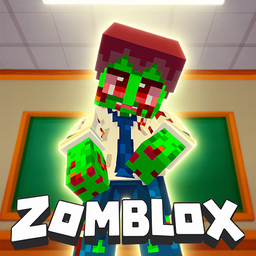
Zomblox mixes zombie survival mechanics with multiplayer combat — all in browser, all in HTML5. Open and play, no client download required.
Zomblox
The golden age of blocky combat returns with a chaotic twist that blends classic tactical FPS vibes with modern meme culture. Zomblox turns an ordinar...
▶ Play FreeSchool-Themed Games (The Meta Ones)
There's something specifically satisfying about playing a game about school chaos while you're at school. This entire genre exists, it's consistently popular, and it plays great on Chromebooks.
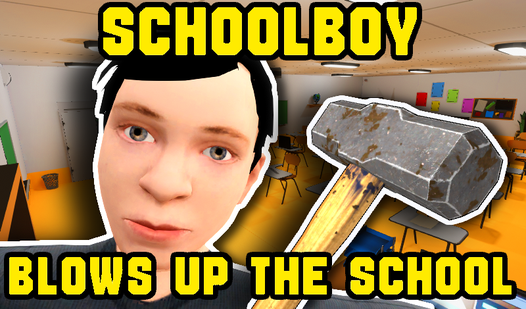
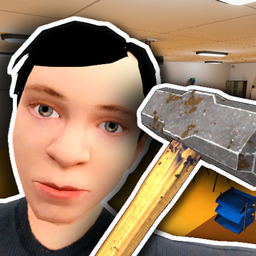
Schoolboy Blows Up The School — a chaotic action game where the school itself becomes the battlefield. Fast, explosive, and oddly cathartic on a Monday morning.
Schoolboy Blows Up The School
Chaos seekers and stress relief fans will find their new favorite hobby right here. Schoolboy Blows Up The School lets you unleash your inner rebel by...
▶ Play FreeBandits at School! drops you into a classroom that's gone completely sideways. Fast-paced, fun, no loading issues.
Geometry School: Fight With Russian Teachers is exactly as wild as it sounds. Geometry combat meets school drama, works perfectly in Chrome without any plugins.

Geometry School: Fight With Russian Teachers
Navigate through a notebook universe where dodging projectiles from stern educators is the only way to earn top marks. Geometry School: Fight With Rus...
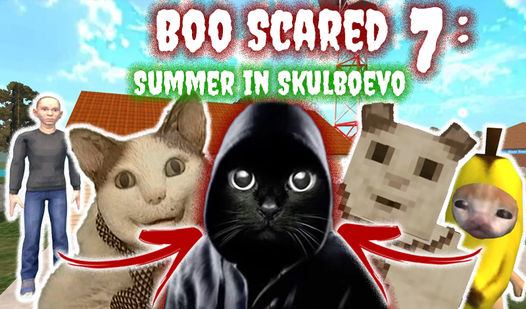
▶ Play FreeBoo Scared 7: Summer in Skulboevo takes the school-adjacent horror-comedy genre for a spin — you're sneaking around, solving puzzles, and trying not to get caught in a charming, offbeat art style.

Boo Scared 7: Summer in Skulboevo
Navigate the eerie village of Skulboevo as Cat Boo to uncover the truth behind the bizarre Okak mystery. You will dodge threats while completing quirk...
▶ Play FreeTips for Playing Safely at School
"Safely" covers two things here: not breaking school rules in ways that lead to real consequences, and keeping your Chromebook working normally.
Use incognito mode, but understand its limits
Chrome's incognito mode doesn't save local browsing history on the device. On a school-managed Chromebook, this does NOT bypass monitoring software. GoGuardian, Securly, and similar tools operate at the network and extension level — they can see what you're accessing even in incognito. What incognito does is keep the device's local history clean. Know your school's specific monitoring setup if possible.
Keep a school tab permanently open
Keep a Google Doc, a class assignment, or a school portal open in a tab right next to your game. One click and you look like you're working. This is a time-honored tradition for a reason — it works.
Play games that pause or close instantly
Avoid games with unskippable cutscenes, long loading transitions between actions, or anything requiring server-side save confirmation before you can close. Puzzle games and turn-based games are ideal — you can stop mid-move, close the tab, and reopen it later without losing anything.
Earphones with low volume
Sound is the most common way students get caught. Speakers are out entirely. Earphones with low volume are acceptable — but mute the game entirely if you're in a quiet classroom. Most HTML5 games have a mute button in the menu.
Don't install anything
Seriously. Don't accept prompts to install Chrome extensions, enable plugins, or run scripts for a game. Chrome OS on school devices is managed — unauthorized extension installations can trigger alerts to the IT department. No game is worth your Chromebook privileges.
Know your timing
Lunch and free periods are obvious. Less obvious but equally useful: the first five minutes of class while attendance is being taken, the last five minutes during wrap-up, and study hall periods. These windows add up.
Distinguish between blocked and just slow
Sometimes a game site isn't blocked — it's just slow to load on congested school Wi-Fi during peak hours. Give a site 15-20 seconds before assuming it's blocked. If it starts loading and then redirects to a block page, it's definitely blocked. If it just sits at a loading spinner, give it more time.
Use low-resource games on crowded networks
During lunch when half the school is on Wi-Fi, heavy WebGL games will lag badly. Keep a few lightweight puzzle or text-based games bookmarked as backups for high-traffic periods.
Stay within sensible limits
The point is to have fun between classes, not to lose Chromebook access entirely. If accessing a game requires jumping through multiple hoops or using tools you're not sure about, it's probably not worth the risk. There are enough good options available through legitimate means.