How to Play Unblocked Games: Rules & Strategies
If you've ever wondered how to play unblocked games and what makes them so popular, you're in the right place. Unblocked games are online titles that work freely in environments where gaming sites are typically restricted — schools, offices, public networks. No installs, no paywalls, no drama. You open a browser, click a link, and start playing. That's the whole deal.
The concept of unblocked gaming has grown massively over the past decade. What started as students sneaking in browser games during lunch has turned into a full-blown category with millions of daily players. The appeal is simple: accessibility. These games run on almost any device with a modern browser, they don't require powerful hardware, and the best ones are genuinely fun to pick up and play.
This guide covers everything — what unblocked games actually are, the core rules and mechanics across popular genres, proven strategies for getting better, and a curated list of the best free unblocked games you can start playing right now on FreeJoy.
What Are Unblocked Games?
The term "unblocked" refers to games that can be accessed even when network filters or firewalls would normally restrict gaming websites. Schools and workplaces often use content filters to block entertainment sites. Unblocked games either live on domains that aren't flagged by these filters, or they're hosted in ways that make them accessible regardless.
But beyond the technical side, unblocked games are simply browser-based games. They typically use HTML5 (and older Flash emulators in some cases), meaning they run natively in Chrome, Firefox, Safari, or Edge without needing any plugin or download. This is what makes them universal — the same game that works on a school Chromebook works on a gaming PC.
The genres span everything imaginable: sandbox games, tower defense, shooters, puzzles, idle games, platformers. The quality ranges from simple time-killers to surprisingly deep experiences that keep you hooked for hours. The one constant is that they're free and instant.
One thing worth understanding: unblocked doesn't mean "low quality." Many of the most popular titles in this space are polished, creative, and genuinely engaging. The format forces developers to focus on the core gameplay loop, which often results in tight, addictive experiences.
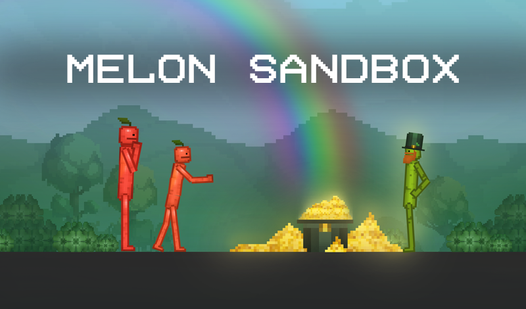
Take Melon Sandbox as a perfect example. It's a physics-based sandbox where you experiment with objects, create ragdoll scenarios, and basically cause beautiful chaos — all within a browser, instantly, for free. No lobby screens, no matchmaking queues. Just open and play.
Melon Sandbox
If you love creative freedom and boundless experimentation, Melon Sandbox is your next obsession. This free online sandbox game lets you build, destro...
▶ Play FreeRules and Basics of How to Play Unblocked Games
Since "unblocked games" covers dozens of genres, there's no single ruleset. But there are universal principles that apply across almost all of them — and understanding these basics is the foundation of how to play unblocked games well.
Learn the controls first
Before anything else, spend 30 seconds checking the controls. Most browser games display them on the loading screen or in a help/info menu. The standard setup for many games is:
- WASD or arrow keys — movement
- Mouse — aiming, clicking, interacting
- Space — jump, action, or pause
- E or F — interact
- Escape — pause or menu
Some games are mouse-only, some use only the keyboard. Knowing this upfront saves you from dying five times trying to figure out why nothing is working.
Understand the game loop
Every game has a core loop — the cycle of actions you repeat to progress. In a tower defense game, it's: earn resources → place towers → survive wave → upgrade → repeat. In a sandbox, it's: experiment → discover → create → experiment more. In a shooter, it's: move → aim → shoot → survive.
Identifying the loop early helps you focus on what actually matters and ignore what doesn't. New players often waste time on secondary mechanics while missing the core.
Manage resources
Whether it's coins, lives, ammo, or time, unblocked games almost always have some resource you need to manage. Spending everything early is usually a mistake. Build a buffer. In strategy games especially, players who save resources for the right moment consistently outperform those who spend immediately.
Use the pause function
Browser games are interruptible. If you need to stop, pause. Most games have this. Don't just close the tab unless you're certain the game saves progress — many browser games don't have robust save systems, and you'll lose your run.
Strategies and Tips for Unblocked Games
Now let's get into actual strategy — the stuff that separates players who clear levels from those who restart endlessly.
Start on easier difficulty settings
This sounds obvious, but many players skip it. Starting easy isn't weakness — it's efficient learning. You see the full game, understand what late-game challenges look like, and build mechanical skill without constant frustration. Then you move to harder modes with actual knowledge.
Watch the first few seconds of each level
Before reacting, observe. Many games give you a brief setup period where nothing attacks you. Use this to assess threats, plan your route, or place your first defenses thoughtfully rather than reactively.
Prioritize defense over offense (in strategy games)
In tower defense and similar genres, new players focus too much on dealing damage. Experienced players prioritize survival mechanics first. A defense you can't break through is more valuable than a massive attack that still lets enemies slip past.
Starr Drops is a great game for practicing resource management under pressure. It combines Brawl Stars-style mechanics with survival elements, and your decisions about when to spend and when to hold directly affect how far you progress.
Starr Drops
Staring at a blank screen while waiting for your next meeting or class is the ultimate buzzkill. Starr Drops is the perfect way to break that monotony...
▶ Play FreeAdapt your strategy per run
Many unblocked games are roguelike or have randomized elements. What worked on your last run might not work this time. Stay flexible. If a specific approach isn't working by the midpoint of a run, adjust rather than doubling down on a failed strategy.
Study enemy patterns
In action games and shooters, enemies follow patterns. They have predictable patrol routes, attack timings, and response delays. Once you identify these, you can exploit them. The player who reads the enemy is always more effective than the player who just reacts.
Take breaks when stuck
This is underrated. If you've failed the same section five times, your frustration is actively making you worse. Step away for a few minutes. When you return, you'll often spot something you missed and clear it quickly. Grinding through frustration is rarely efficient.
FNAF Alchemy: Collect All the Animatronics rewards patient, methodical players. It's a puzzle-strategy hybrid where rushing leads to mistakes. Slow down, analyze the combinations available, and plan several moves ahead. The players who approach it like a chess game consistently collect animatronics the reactive players miss.
Best Free Unblocked Games on FreeJoy
Here's a breakdown of top-tier unblocked games worth your time, across multiple genres. All of these are playable free in your browser right now.
Cursed Treasure 2 — Tower Defense Masterclass
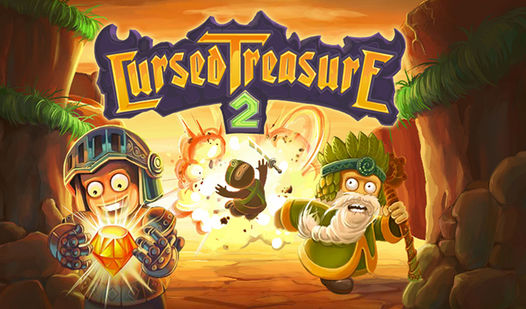
If you want to learn tower defense strategy properly, Cursed Treasure 2 is the game to play. You're a villain protecting your gem stash from waves of increasingly clever heroes — knights, rogues, ninjas, angels. The game has more depth than most desktop strategy games: dozens of upgrade paths, special abilities, level-specific challenges, and a satisfying medal system that rewards efficient play.
The core mechanic is placement. Where you put each tower matters enormously. Chokepoints, line-of-sight, and range overlap all affect performance. Towers in Cursed Treasure 2 also gain experience and can evolve, so you're managing a living ecosystem, not just static defenses.
For beginners: focus on the Orc towers early (they deal reliable AOE damage), save your special abilities for elite enemies, and never let a level end without placing every available tower. Leaving a build slot empty is leaving free defense on the table.
Cursed Treasure 2
Being the villain is far more rewarding when you have a hoard of shimmering gems to protect from meddling heroes. Cursed Treasure 2 flips the script o...
▶ Play FreeSolar Smash — Destruction at Cosmic Scale
Solar Smash is an experience rather than a traditional game. You're given a planet and an arsenal of weapons — lasers, nukes, black holes, alien attacks — and your job is to destroy it. The physics simulation is genuinely impressive for a browser game. Different weapons interact with the planet differently, and experimenting with combinations produces spectacular results.
There's no lose state. No timer. No pressure. It's pure creative destruction, which makes it perfect for sessions where you want to decompress without thinking too hard. The challenge, if you want one, is finding the most efficient way to completely annihilate each planet.

Solar Smash
Space is usually depicted as a silent void, but Solar Smash turns the cosmos into your personal playground for total planetary annihilation. You hold ...
▶ Play FreeFunny Shooter 2 — Chaotic Action
Funny Shooter 2 brings chaotic FPS energy to the browser. You're constantly moving, killing waves of goofy enemies in arenas that get progressively more intense. It's the kind of game where your mechanical skills genuinely matter — aim, movement, and cooldown management all factor in.
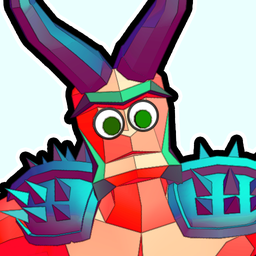
Funny Shooter 2
Fans of high-octane FPS chaos will find their new obsession in Funny Shooter 2, a wild ride through bizarre combat zones. This action game pits you ag...
▶ Play FreeGacha Club — Creative Depth
Gacha Club is for players who want to express creativity rather than compete. The character customization is surprisingly deep, with thousands of combination options. You build your roster, level them up, and fight through story content and mini-games. The gacha elements are entirely free-to-play with no real-money pressure.

Gacha Club
Stuck in a boring meeting or just need a creative escape from your daily screen fatigue? Gacha Club is the ultimate digital playground where your arti...
▶ Play FreeStickman Epic — Action Platformer
Stickman Epic delivers exactly what the name promises: stickman characters, epic battles, smooth combat animations. The game has a progression system that keeps you pushing forward, and the combat mechanics reward timing and dodging over button mashing.
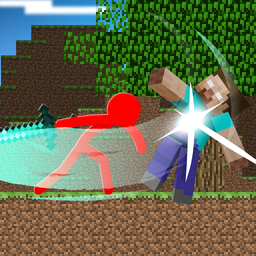
Stickman Epic
Slash through waves of enemies and conquer challenging arenas in Stickman Epic to prove your martial prowess. Players navigate intense combat encounte...
▶ Play FreeBubble Pop Master — Puzzle Precision
Bubble Pop Master is a clean, well-executed bubble shooter. The game escalates difficulty steadily, eventually demanding precise angle shots and careful planning of color matches. It's meditative at low levels and genuinely challenging at high ones.
Block Puzzle Jewel — Logic Under Pressure
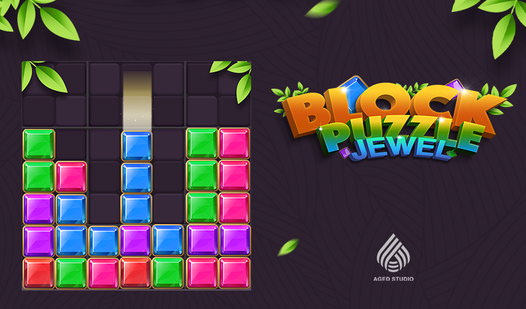
Block Puzzle Jewel is a Tetris-adjacent puzzle game where you fit differently-shaped blocks onto a grid to clear lines and columns. It sounds simple, and the early game is. But the mid-to-late game creates situations where every placement choice has cascading consequences. Excellent for players who like logic puzzles with spatial reasoning.
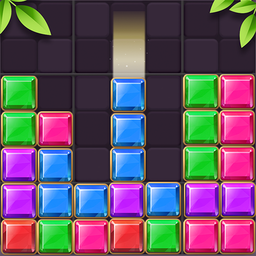
Block Puzzle Jewel
Staring at a stagnant screen while your brain feels like it is running on low battery creates the perfect moment for a quick mental recharge. Block Pu...
▶ Play FreeHow to Get Better at Unblocked Games: Advanced Mindset
Beyond mechanics and strategy, the players who improve fastest share certain habits.
They review their mistakes. After a failed run, they think about what went wrong — not to feel bad, but to extract information. Was it a resource decision? A missed mechanic? A reaction timing issue? That review informs the next attempt.
They specialize before they diversify. Picking one or two genres and getting genuinely good at them builds transferable skills. A player who masters tower defense develops resource management intuition that applies to other strategy games. A player who improves at shooters develops spatial awareness that helps in platformers.
They read patch notes and update logs. For games that update frequently, the meta shifts. What was optimal last month might be nerfed. Staying current gives you an edge over players running old strategies.
They play at the edge of their ability. Comfort zones feel nice but don't produce improvement. Playing against opponents or challenges slightly above your current skill level accelerates learning faster than playing against easy content repeatedly.
They take the tutorial seriously. Even players who skip tutorials in major releases tend to benefit from them in browser games, because browser game tutorials are typically short, focused, and actually teach you mechanics the game assumes you understand. Skipping a 90-second tutorial to save time often costs 10 minutes of confused play.
Why FreeJoy Is the Best Place for Unblocked Games
The selection of games matters as much as the games themselves. A good platform curates quality, ensures games load reliably, keeps the catalog updated, and doesn't bury you in intrusive ads.
FreeJoy maintains a catalog of thousands of verified, working unblocked games across every genre. The games are tagged and filtered so you can find exactly what you're looking for — whether that's a quick puzzle, a long strategy session, or a creative sandbox. No registration required. No email to verify. No profile to set up.
The catalog includes trending titles, new additions, and category-specific collections, so if you find one type of game you love, finding similar ones is straightforward. The site also works on mobile browsers, which matters when you're gaming on a phone or tablet.