How to Play Hidden Objects Games: Beginner's Guide & Tips
Hidden objects games are one of those rare genres that anyone can pick up in seconds — yet they offer enough challenge to keep you glued to the screen for hours. Whether you're brand new to the genre or just looking to sharpen your skills, this guide covers everything: how to play hidden objects games from scratch, the best strategies for finding items fast, and where to find the best free titles you can start playing right now, no downloads needed.
What Are Hidden Objects Games?
At their core, hidden objects games ask you to do one thing: find specific items inside a detailed, often cluttered scene. A list appears on screen — sometimes with pictures, sometimes with text — and your job is to locate every item before time runs out or earn points for speed and accuracy.
But that simple premise hides a surprising amount of variety. Some hidden object games wrap the search puzzles inside a full narrative: you're a detective piecing together a mystery, a traveler exploring exotic destinations, or a hotel owner restoring a crumbling property. Others strip things down to pure search-and-find fun with no story at all. Many mix in mini-games, locked areas, and inventory puzzles between rounds to keep things fresh.
The genre exploded in popularity during the early 2000s with casual PC titles, and today you can play hidden objects games online free without installing anything. Browser versions run smoothly on almost any device, and there are plenty of hidden objects games unblocked options that work in school or workplace networks.
What makes hidden object games so addictive is the satisfying "click" of spotting something your eyes have been sliding right past for 30 seconds. That small dopamine hit keeps you going scene after scene — one more level, one more chapter.
How to Play — Controls and Mechanics
If you've never touched a hidden objects game before, here's exactly what happens when you start one up.
The basic loop:
- A scene loads — a room, a landscape, a fantasy location packed with objects.
- A list appears (bottom of the screen, a side panel, or floating cards).
- You scan the scene and click (or tap) each item as you find it.
- When the list is complete, the next scene or chapter unlocks.
Controls are dead simple. On desktop: left-click to select items, right-click in some games to zoom in. On mobile: tap to select, pinch to zoom. That's it. There's no complex button mapping, no special moves to memorize. This is one reason hidden object games are so accessible — the learning curve is basically zero.
Types of item lists:
- Text list — classic mode, items listed by name ("scissors," "lantern," "top hat")
- Silhouette list — you see the shape of the item but not its name; trains visual memory
- Photo list — a small picture of the item appears; easiest variant, great for beginners
- Random/mystery mode — items are revealed one at a time as you find them
Common mechanics beyond the basic search:
- Hint button — tapping it highlights an unfound item. Most games limit hints per level, so use them wisely.
- Zoom — many scenes are larger than the visible area. Scroll or drag to explore corners.
- Inventory puzzles — you collect objects and use them to unlock other parts of the scene. For example, finding a key that opens a locked drawer containing more hidden items.
- Mini-games — jigsaw puzzles, slider puzzles, or match-three boards sometimes appear between chapters as palate cleansers.
- Penalty system — clicking randomly (misclicks) often adds seconds to your timer or reduces your score. Click deliberately.
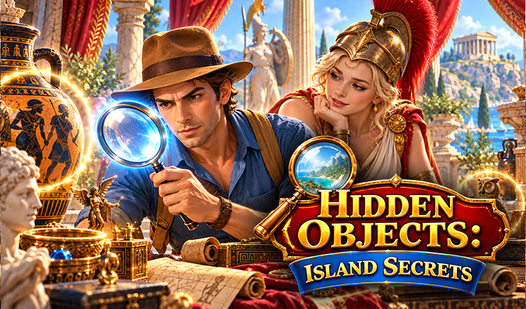
Hidden Objects: Island Secrets is a perfect first game if you want to experience all these mechanics at once. It delivers a classic hidden object experience wrapped in a magical, adventurous storyline — each scene feels like a new discovery.

Hidden Objects: Island Secrets
Fans of detective games will find themselves hooked by the mysterious atmosphere of Hidden Objects: Island Secrets. This captivating adventure challen...
▶ Play FreePro Tips for Finding Hidden Items Faster
Once you understand the basics, the real skill is speed and observation. Here's how experienced players find items in seconds while newcomers stare at the same scene for minutes.
1. Scan the edges first
Designers know that players naturally focus on the center of a scene. So they hide things in corners, along borders, and tucked behind frame edges. Train yourself to sweep the outer edges of any scene before working inward.
2. Read the full list before you start clicking
Before your eyes dart around the scene, read every item on the list. Your brain creates a search image for each object. When you start scanning, you'll recognize items faster because your visual cortex is already primed for them.
3. Look for color contrasts, not shapes
Hidden objects are often disguised by busy backgrounds. Instead of hunting for an exact shape, look for a color that doesn't quite belong. A red handle sticking out from a gray toolbox. A golden coin in a pile of brown leaves. Color contrast catches the eye faster than outline recognition.
4. Use zoom strategically
Large scenes often have hidden items at a scale too small to spot at full view. If you've scanned the whole scene and still have items missing, zoom into sections you haven't checked closely — under furniture, inside windows, behind other objects.
5. Save hints for the truly impossible items
Every game gives you a limited number of hints. Don't waste them in the first two minutes. Work through everything you can find, then use a hint only when you've genuinely stared at the scene for more than 60 seconds without progress.
6. Work the list systematically
Random clicking wastes time. Pick an item, find it, cross it off mentally, pick the next. A systematic approach means you're always making progress rather than half-looking for three things at once.
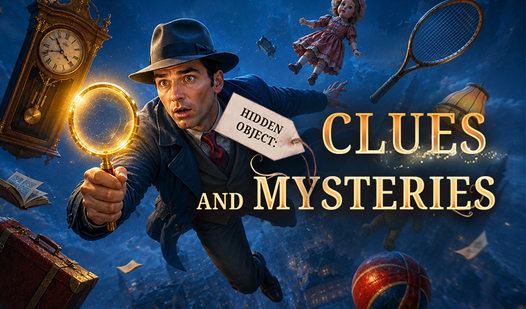
Hidden Object: Clues and Mysteries is brilliant for practicing these skills because the scenes are designed around riddles — meaning items are intentionally placed to mislead you. It trains pattern recognition faster than simpler games.

Hidden Object: Clues and Mysteries
The human brain is naturally wired to find patterns in chaos, making the classic hidden object genre the ultimate test of observation. Hidden Object: ...
▶ Play Free7. Return to missed items with fresh eyes
If you've been staring at one spot for too long, your brain starts filtering it out — a psychological phenomenon called "change blindness." Scroll to a different part of the scene, find something else, then come back. The item you missed often becomes instantly obvious.
8. Check behind other objects
Designers layer scenes deliberately. A vase might be 90% hidden behind a curtain. A coin might sit under the edge of a table. Always look at partial objects — if something looks like it could be the edge of a listed item, click it.
9. Watch the hint animation once
When you do use a hint, watch carefully where it points and how the item looks in context. This trains you to recognize similar hiding spots in later scenes.
Best Free Hidden Objects Games to Start With
Now let's get practical. Here are the best titles to play hidden objects games online free, all playable right in your browser.
Hidden Object: My Hotel stands out for combining hidden object gameplay with a hotel restoration theme. As you work through each area — the lobby, guest rooms, the kitchen, the garden — you're not just finding objects, you're rebuilding the hotel piece by piece. The dual progress (search puzzle + restoration) gives every level a purpose beyond the hunt itself.

Hidden Object: My Hotel
Fans of mystery and renovation will fall in love with Hidden Object: My Hotel instantly. This captivating hidden object adventure tasks you with resto...
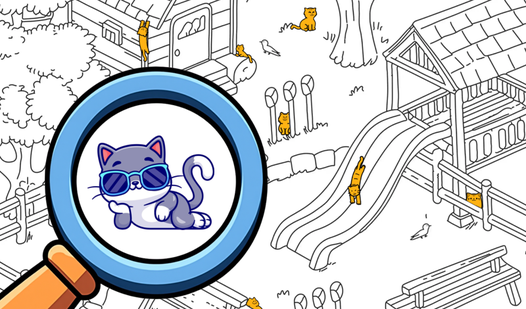
▶ Play FreeSpot the Cat: Hidden Cats takes a delightful spin on the formula. Instead of a random item list, your one and only job is to find cats — cartoon cats tucked into every corner of beautifully illustrated scenes. The focused theme makes it surprisingly challenging because your brain locks onto cat-shaped objects even when they aren't cats. Perfect for players who want charm alongside challenge.
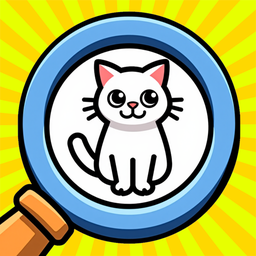
Spot the Cat. Hidden Cats
Scan every inch of vibrant, hand-drawn scenes to find the cat hiding in plain sight. Spot the Cat. Hidden Cats turns your screen into a massive scaven...
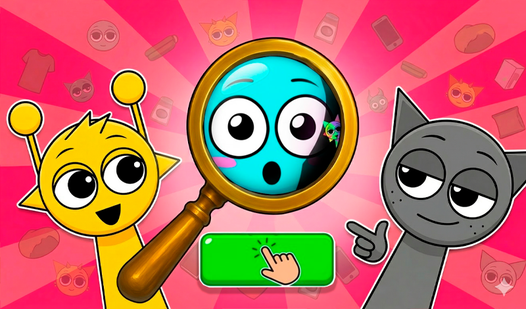
▶ Play FreeHidden Objects: Find All Sprunki brings a bright, cheerful energy to the genre. The colorful locations are packed with popular characters, and the visual noise of a vibrant scene makes the hunt genuinely tricky. If you find dull or dark scenes uninspiring, this is the one to play.
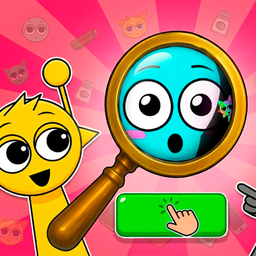
Hidden Objects: Find All Sprunki
Finding tiny details in a chaotic scene is the ultimate test of focus and patience for any puzzle enthusiast. Hidden Objects: Find All Sprunki turns t...
▶ Play FreeFor players who prefer real-world settings, there are several strong options in the catalog:
Hidden Objects: Traveling America sends you across iconic American destinations, with each scene based on a real location. The sense of place adds an extra layer of engagement — you're not just searching, you're "visiting."

Hidden Objects: Traveling America
Road trips are the ultimate way to see the world, and now your living room is the starting point for a cross-country adventure. Hidden Objects: Travel...
▶ Play FreeHidden Objects: Japan does the same with Japanese scenery — traditional temples, bustling markets, serene gardens. The art style is gorgeous and the scenes are detailed enough to reward extended exploration.

Hidden Objects: Japan
Scan busy scenes to spot cleverly concealed items in Hidden Objects: Japan and sharpen your eagle eyes today. You interact with vibrant images by clic...
▶ Play FreeHidden cats (the standalone browser title) is a compact, relaxing experience. Short sessions, gentle difficulty, and cats everywhere. Low-stress and genuinely enjoyable.

Hidden cats
Fans of relaxing brain training challenges will adore the charming world of Hidden cats. This artistic puzzle game tasks you with locating one hundred...
▶ Play FreeFind the Frog - Hidden Objects switches the target animal and cranks up the camouflage challenge. Frogs blend into their surroundings in ways cats simply don't. A good difficulty step up once you've mastered cat-finding.

Find the Frog - Hidden Objects
Scan intricate hand-drawn scenes to spot hidden objects that blend perfectly into their surroundings. You will navigate through thematic worlds rangin...
▶ Play FreeHidden Objects: Find the Treasure leans into an adventure framing — each scene is a location in a treasure hunt, and the items you find build toward a final discovery. Great for players who want a hint of narrative even in casual play.

Hidden Objects: Find the Treasure
Every tropical island holds secrets buried deep beneath the sand and tangled vines. Hidden Objects: Find the Treasure turns you into a detective seeki...
▶ Play FreeHidden Objects vs Hidden Treasures — What's the Difference?
You'll see both terms used across game sites, and they're often used interchangeably — but there is a meaningful difference worth knowing.
Hidden objects games (the broader genre) focus on finding specific listed items in a scene. The items can be anything: everyday household objects, tools, toys, clothing, animals. The goal is item recognition and scanning speed.
Hidden treasure games (a subgenre) frame the search within an exploration or adventure narrative. You're not just finding a "golden coin" — you're finding a clue that leads to a treasure chest, which reveals a map, which opens the next area. The treasure framing adds stakes and progression beyond a simple checklist.
In practice, the gameplay mechanics are nearly identical. The difference is primarily in presentation and pacing:
| Feature | Hidden Objects | Hidden Treasure |
|---|---|---|
| Item list | Any objects | Often treasure-themed items |
| Narrative | Optional | Usually present |
| Scene progression | Chapter-based | Quest or map-based |
| Difficulty | Varies widely | Often escalates over time |
| Example | Spot the Cat | Hidden Objects: Find the Treasure |
A third variant worth mentioning: hidden animal games (like Spot the Cat and Find the Frog) use a single target type throughout. These have become their own mini-genre because the restricted focus creates a different mental challenge — you're not switching between "find scissors" and "find a lantern," you're training your eye on one shape family with infinite variation.
If you're trying to decide where to start, pure hidden object games are the most beginner-friendly because the item variety keeps each scene feeling fresh. Treasure-hunt games are better once you want more structure and narrative payoff. Animal finders sit in their own relaxing lane that's hard to compare to the others.