How to Play Baby Games Online — A Parent's Guide to Safe Gaming
Meta description: Help your toddler play online games safely. Learn age-appropriate game selection, screen time tips, and the best free baby games for development.
Every parent has been there. Your toddler spots your phone or tablet, reaches for it with both hands, and will not take no for an answer. The question is not whether kids will encounter screens — it is what they do on them. Knowing how to play baby games that are genuinely age-appropriate makes all the difference between screen time that helps and screen time that just passes the clock. This guide walks you through picking safe games, setting up a child-friendly setup at home, and understanding what your little one actually gains from the best baby games online free of charge.
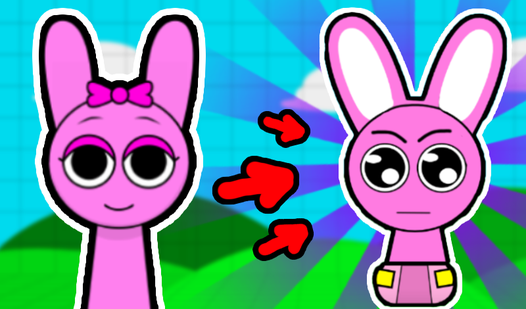
Sprunki: Merge Baby Sprunki
Fans of addictive merge games and viral internet culture will find their new obsession in Sprunki: Merge Baby Sprunki. This playful experience turns t...
▶ Play FreeH2: Choosing Age-Appropriate Games for Babies and Toddlers
Not every game labeled "for kids" belongs in front of a two-year-old. Publishers use broad age tags, and the difference between content suitable for a toddler and content meant for a ten-year-old can be enormous. Here is how to filter games that actually match your child's developmental stage.
Start with the interaction model. Babies and toddlers (ages 0–3) need simple, single-tap mechanics. If a game requires multi-step menus, reading instructions, or coordinating two hands across the screen at the same time, it is too advanced. Look for games where one tap or one swipe does something visible and rewarding — a sound, a color change, a character that giggles.
Check the visual pacing. Fast-moving scenes, rapid cuts, and flashing effects are overstimulating for young brains. Good baby games move at a gentle pace. Characters respond slowly enough that a toddler can follow cause and effect: "I tapped the bear — the bear waved." That feedback loop is exactly where learning happens.
Read the actual game description, not just the age rating. Age ratings are often set by developers who have a commercial interest in reaching the widest possible audience. Take sixty seconds to read what the game actually involves. Does it ask a child to care for a pet, dress a character, or solve a simple puzzle? Those are solid foundations.
Baby Hazel Pet Party is a good example of getting this right. Children help Baby Hazel organize a birthday party for her pets — picking food, choosing decorations, and keeping little animals happy. The tasks are simple, sequential, and visually clear. There is no reading required. Every action produces an obvious, positive result.

Baby Hazel Pet Party
Organize an unforgettable celebration for adorable companions by helping baby hazel prepare for a lively gathering. This charming experience invites y...
▶ Play FreeAvoid games with in-app purchases visible to children. If a store button is prominently placed next to the gameplay area, your child will eventually tap it. Most platforms let you disable in-app purchases at the device level — do this before handing over a tablet. For browser-based baby games online free options like those on FreeJoy, this concern largely disappears since the games are genuinely free to play without unlockable paywalls hidden mid-session.
Watch one session before your child does. This takes five minutes and saves you from surprises. Load the game yourself, tap through a couple of levels, and see what appears. Look for: unexpected audio that might startle a small child, characters or storylines that feel off-brand for toddlers, and any requests for personal information.
Once a game passes your quick review, you can hand it over with confidence.
H2: How to Set Up Safe Online Gaming for Kids
Choosing a good game is step one. Step two is making sure the environment around that game is set up so your child can play without stumbling into something you did not intend.
Use a dedicated profile or device. If you share a tablet with your toddler, create a separate child profile. Both Android and iOS support this natively. A child profile limits access to only the apps you approve, locks down browser history, and prevents accidental purchases. It takes about ten minutes to configure and eliminates a lot of ongoing worry.
Enable parental controls at the OS level. Screen time controls on iOS and Android let you set daily limits, restrict content by age rating, and block access to certain websites. Set these up before the first gaming session, not after you find something problematic.
Pick browser-based games over app downloads when possible. Downloaded apps collect more data, send more notifications, and update without your knowledge. Browser-based platforms — where your child plays directly in the browser without installing anything — keep things contained. FreeJoy is built exactly this way: games run in the browser, no app install required, no account creation needed for children.
Keep the screen in a shared space. The simplest safety tool is physical location. A toddler playing on the kitchen table while you cook is in a completely different risk environment than a toddler playing alone in a bedroom. Proximity lets you glance over, hear the audio, and notice if something changes.
Baby Dress Up & Care is designed with exactly this kind of co-play in mind. The game simulates newborn care — bathing, dressing, visiting a beauty salon — with gentle mechanics and calm visuals. It is easy to play alongside a child, pointing at colors and outfits together, turning solo screen time into a shared activity.

Baby Dress Up & Care
Staring at the clock during a mid-afternoon lull feels like an eternity, but a quick trip to the nursery is the perfect remedy. Baby Dress Up & Care t...
▶ Play FreeTalk about what happens on screen. Even with a two-year-old, a simple running commentary builds a habit. "The baby is cold, so we're putting on a warm jacket." You are narrating cause and effect, building vocabulary, and staying connected to what your child is experiencing. This is the difference between passive consumption and active learning.
Set a clear start and stop routine. Young children struggle with transitions. If gaming ends the moment you say "time's up," expect resistance. Instead, give a five-minute warning. "Two more pets to feed, then we'll have lunch." Predictable endings reduce tantrums and make the whole session more pleasant for everyone.
H2: Educational Benefits of Baby Games
Parents sometimes feel guilty about screen time, as if letting a toddler play a game is somehow less valuable than a puzzle on the floor. The research tells a more nuanced story. The right kind of interactive play — including well-designed digital games — supports several areas of early development.
Fine motor skills. Tapping, swiping, and dragging on a touchscreen requires hand-eye coordination. It is a different kind of fine motor work than holding a crayon, but it is motor work nonetheless. Games that ask children to tap specific targets, drag objects to matching spots, or trace simple shapes build the same foundational skills.
Cause and effect understanding. This is one of the most important cognitive milestones in the first three years of life. A baby who taps a button and hears a sound is learning: my action caused that outcome. Every interactive game moment reinforces this. The best baby games online make this feedback loop immediate and satisfying.
Vocabulary and language exposure. Games with simple narration, animal sounds, color names, or object labels add to a child's passive vocabulary. They hear words in context — "let's feed the puppy" while the on-screen character feeds a puppy — which is exactly how early language acquisition works.
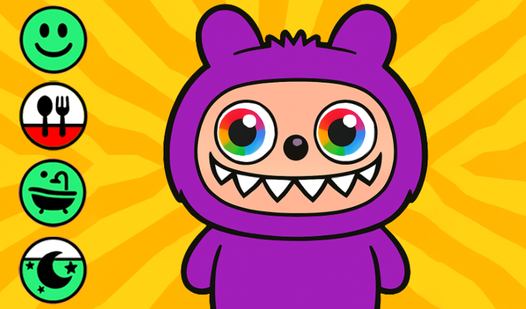
My Jelly Bear Pet turns these principles into a daily routine. Children feed, bathe, dress, and play with a virtual bear. Each activity introduces new vocabulary in context: bath time, breakfast, pajamas, playground. The repetition across sessions is actually a feature — toddlers learn through repetition, and returning to the same game builds deeper familiarity.

My Jelly Bear Pet
Fans of virtual pet simulators will immediately fall in love with My Jelly Bear Pet and its adorable, squishy companion. This charming character relie...
▶ Play FreeSocial-emotional learning. Games centered on caring, sharing, and family activities introduce emotional concepts in a low-stakes environment. A child who helps Baby Hazel plan a picnic is practicing the idea of doing something for others, anticipating what people might need, and following a sequence of events toward a happy outcome.
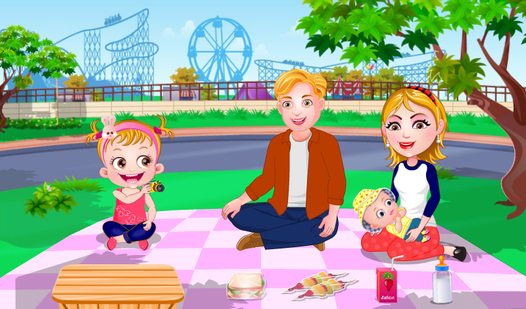
Baby Hazel Family Picnic does this quietly but effectively. Children help plan an outdoor meal with Baby Hazel's family — packing the basket, setting up the blanket, choosing food. The narrative is warm and the tasks are achievable. A toddler who plays through this game is, in small ways, rehearsing the social dynamics of family cooperation.
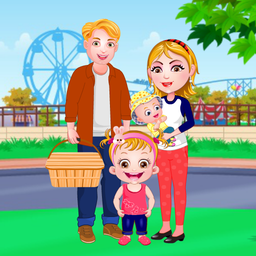
Baby Hazel Family Picnic
Parents and little ones who love heartwarming simulations will adore spending a sunny afternoon with Baby Hazel Family Picnic. This charming adventure...
▶ Play FreeAttention and concentration. Short-session games that present simple tasks with clear goals train the ability to focus and complete something. This is different from passive video watching, where a child is a recipient. In a game, they are an agent — they must pay attention to what is happening in order to decide what to do next.
H2: Recommended Screen Time by Age
The American Academy of Pediatrics updated its screen time guidelines in recent years, moving away from strict "no screens before two" rules toward a more nuanced framework. Here is a practical breakdown for parents of very young children.
Under 18 months: Video calls with family (grandparent FaceTime, for example) are fine. Everything else — including games — should be avoided. At this age, babies learn best from face-to-face interaction, and screens provide very little developmental benefit.
18–24 months: This is the transitional zone. Simple, slow-moving interactive content can be introduced, but always with a parent present. Choose one or two games you have reviewed yourself. Keep sessions under 15 minutes. Narrate what is happening on screen to add language value.
Ages 2–3: Up to one hour per day of high-quality content is considered reasonable. "High-quality" means interactive (not just passive video), age-appropriate, and free of advertising or inappropriate content. Baby games online free from platforms without embedded advertising fit this category well.
Ages 3–5: Still one hour per day is the general recommendation, but content can become more complex. Games that involve simple problem-solving, sequencing, or creative activities are appropriate. At this age, children can also start to understand basic rules and goals.
Across all ages, the quality of the content and the presence of a parent matter more than the exact minute count. A child playing Baby Hazel Brushing Time — learning about dental hygiene through play — alongside an engaged parent is getting real developmental value. A child watching unboxing videos alone on YouTube for two hours is in a different situation entirely.
Here are more games from the catalog that fit these age-appropriate guidelines:
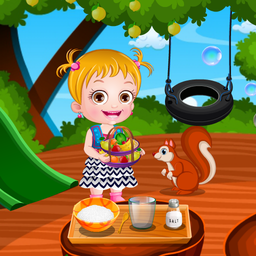
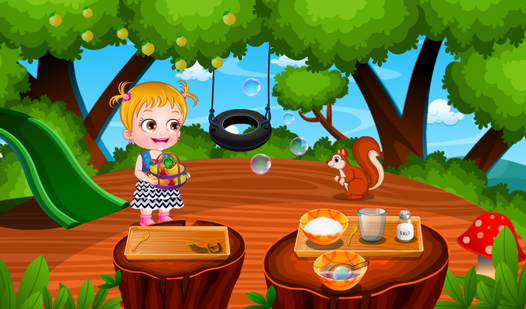
Baby Hazel Tree House
Exploration games turn simple household chores into grand adventures that capture the imagination of young players everywhere. Baby Hazel Tree House i...
▶ Play Free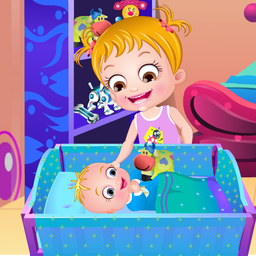
Baby Hazel Sibling Care
Managing a lively household while keeping a toddler happy is the primary challenge in Baby Hazel Sibling Care. You must juggle playtime and snack sess...
▶ Play Free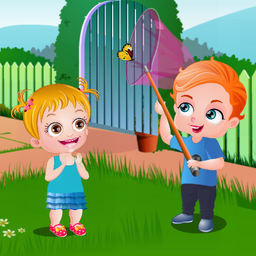
Baby Hazel Spring Time
Spring has finally arrived and everywhere you look flowers are blooming and butterflies are taking flight. Baby Hazel Spring Time captures that magica...
▶ Play FreeManaging the transition out of screen time. Regardless of age, screen time that ends abruptly causes friction. Build transitions into your routine. A natural stopping point — finishing a task in the game, completing a level — feels better than a mid-session interruption. If you need to stop mid-session, give warnings and explain why.
What to watch for as a signal that a game is not right for your child. Some signs that a game is not working for your particular child at this moment: persistent frustration or tears during play, difficulty transitioning away from the game, changes in mood or sleep after sessions, or requests to play that escalate in urgency or intensity. These are signals to take a break, reassess the game, or try something different.
More Games to Explore
Beyond the Baby Hazel series, there are several other options worth knowing about for different interests.
Sprunki Baby Retake
Music creation reaches a new level of cuteness when you experiment with the experimental sounds found in Sprunki Baby Retake. This rhythmic playground...
▶ Play Free
Sprunki: Create Baby
Staring at a blank screen during a lunch break often feels like a missed opportunity for some creative fun. Sprunki: Create Baby turns those idle mome...
▶ Play Free
Help the kitten. Pets.
Staring at the clock and waiting for your shift or class to end is the ultimate afternoon slump. Help the kitten. Pets. is the perfect digital pick-me...
▶ Play Free
My Talking Labubu: Original Secret Toy for Kids
Fans of virtual pet games who enjoy dressing up characters and collecting cute surprises will fall in love with My Talking Labubu: Original Secret Toy...
▶ Play FreeThe Sprunki games take a different angle — they are music and creativity-based, with characters that merge and combine to produce sounds and animations. Brainrot Merge: Baby Animals and similar merge games teach simple matching and combination logic. Help the Kitten introduces basic problem-solving through pet care. My Talking Labubu is a talking toy simulator that toddlers find endlessly repeatable — which, as noted above, is actually a developmental feature rather than a bug.