Free Online Geometry Games for Kids: 3rd & 4th Grade
If you're hunting for free online geometry games for 4th grade students — or for 3rd graders just starting to wrap their heads around shapes, angles, and spatial thinking — you've landed in the right place. This guide rounds up the best browser-based geometry games your kids can play right now, no download, no account, no fuss.
Geometry might sound like a dry subject, but pair it with the right game and suddenly kids are calculating trajectories, recognizing shapes under pressure, and thinking in three dimensions without even realizing they're doing math. That's the magic. These games work for home practice, classroom warm-ups, and those "what do I do with 15 spare minutes?" moments teachers know all too well.
Why Geometry Games Help Kids Learn
There's solid reasoning behind using games to teach geometry — not just because kids enjoy them (though that definitely helps), but because geometry is a visual subject. Unlike arithmetic, which can be drilled through repetition, geometry requires spatial reasoning: the ability to mentally rotate objects, recognize congruence, and understand how shapes relate to one another in space.
Traditional worksheets can show a triangle and ask for the area. A game puts you inside a moving geometric world where you have to think fast, adapt your path, and understand how shapes behave. That active, embodied experience builds intuition in ways that static exercises often can't.
Here's what geometry games tend to reinforce for 3rd and 4th graders specifically:
- Shape recognition — cubes, spheres, pyramids, and polygons appear everywhere in game environments
- Spatial awareness — understanding left/right, up/down, rotation, and symmetry
- Angles and direction — many games require kids to judge angles to navigate obstacles
- Patterns and sequences — geometric patterns are the backbone of most level designs
- Estimation and prediction — will this path clear that gap? Kids calculate intuitively
The best part: when a child is genuinely engaged, they'll replay a level dozens of times without complaint — each attempt deepening their understanding of the spatial rules at play.
Best Free Online Geometry Games for 3rd Grade
Third graders are typically working on identifying 2D and 3D shapes, understanding perimeter and area basics, and developing early spatial reasoning skills. The games in this section are approachable enough for younger players while still being genuinely fun and challenging.
Geometry Dash: Cube Farm and Other Modes
This is one of the most creative entries in the Geometry Dash family. Kids get to build their own cube-destroying farm and experiment with different Geometry Dash modes — each one offering a distinct geometric challenge. The cube farm mechanic alone sparks questions about space, arrangement, and structure. How many cubes fit? What happens when you stack them? It's geometry thinking baked right into the gameplay.
The different modes keep things fresh — just as kids get comfortable with one geometric form, a new mode introduces fresh shapes and movement patterns. For 3rd graders who are just learning to differentiate between shapes and understand how they move through space, this is a fantastic starting point.
Geometry Dash Evolution: Clicker
Not every learning moment has to feel intense. This relaxed clicker version of Geometry Dash lets kids click on the main character to pleasant background music, watching the geometry world evolve at a calm pace. It's a great choice for students who get overwhelmed by fast-paced games, or as a cool-down activity at the end of a learning session.
The game still builds pattern recognition and shape awareness through its visual design — everything is clean geometric forms, and the evolution mechanic teaches kids that small repeated actions create big cumulative change (a surprisingly useful math concept). Perfect for younger 3rd graders or kids who are still building confidence.
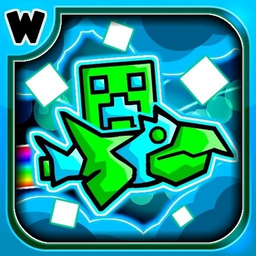
Geometry Dash evolution: Clicker
Clicker games offer a unique way to turn simple taps into massive progress and satisfying rewards. Geometry Dash evolution: Clicker takes this addicti...
▶ Play FreeGeometry MOD 2: Chips and Cola
This entry in the Geometry MOD series mixes playful food-themed visuals with the geometric challenge mechanics the series is known for. The colorful design makes it immediately appealing to younger kids, and the MOD format introduces slight variations on the classic Geometry Dash formula — giving children exposure to how the same geometric rules can produce wildly different gameplay experiences.
For teachers: this is a great discussion starter about how changing one variable in a geometric system (speed, shape, angle) changes the whole experience.

Geometry MOD 2: Chips and Cola!
Feed cubes with chips and cola to trigger explosive reactions in Geometry MOD 2: Chips and Cola! Watch as your subjects gain critical mass and burst i...
▶ Play FreeGeometry Dash Wave: Original
The wave mode is one of the most spatially demanding mechanics in Geometry Dash — instead of jumping, you control a wave that moves in continuous sine-curve patterns. Navigating it requires a genuine feel for how curves work, how the wave's amplitude changes with your input, and how to thread through tight geometric corridors.
For 3rd graders who've been introduced to basic shapes and want a real challenge, Wave is excellent. It builds hand-eye coordination and spatial prediction skills simultaneously. Kids quickly learn that small, controlled inputs beat large erratic ones — a lesson that applies far beyond video games.

Geometry Dash Wave: Original
Staring at a blank screen while your coffee cools is the universal sign that you need a major productivity break right now. Geometry Dash Wave: Origin...
▶ Play FreeBest Free Online Geometry Games for 4th Grade
Fourth graders are ready for more complexity. They're working with angles (acute, obtuse, right), symmetry, coordinate grids, and classifying shapes by their properties. The games here match that increased sophistication — they demand faster thinking, better spatial judgment, and an understanding of how geometric properties interact.
Geometry Mayhem
This one is pure geometric intensity. Players use movement itself as a weapon in a neon void filled with geometric obstacles and enemies. The neon aesthetic makes every shape pop with clarity — triangles, squares, and polygons are the entire visual language of the game.
What makes Geometry Mayhem particularly valuable for 4th graders is that it forces fast classification: you're constantly evaluating shapes by their properties (is that a sharp angle? How wide is that gap?) and making split-second decisions based on your answers. That's exactly the kind of applied geometry thinking the 4th grade curriculum aims to develop.
Dash Geometry: Leveling Up
This improved take on Geometry Dash adds a progression system where kids can upgrade their character. Beyond the core geometric platforming, the upgrade system introduces a layer of strategic thinking — which improvements matter most? How do different character shapes affect movement through geometric obstacles?
For 4th graders, the leveling mechanic mirrors mathematical progression nicely: each upgrade is a small, measurable improvement, and kids can track their growth numerically. Teachers can even use this as a conversation starter about variables and how changing one thing (character speed, size, shape) affects outcomes.
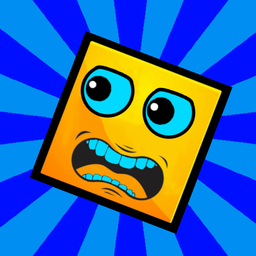
Dash Geometry: Leveling Up
Fans of high-speed platformers will find their new obsession in Dash Geometry: Leveling Up, a thrilling evolution of the classic rhythm-based challeng...
▶ Play FreeGeometry Dash: Ultra Mega MOD Playground
The playground format is a sandbox — and sandboxes are where real learning happens. In this Ultra Mega MOD version, kids have space to experiment with Geometry Dash mechanics without the pressure of a strict level format. They can test how different geometric shapes behave, explore the physics of the game world, and essentially conduct informal experiments in geometric motion.
For older 4th graders especially, this exploratory mode builds the kind of flexible geometric thinking that standardized tests increasingly reward. When you've played with how a cube moves differently than a wave form, you have genuine intuition about geometric properties that's hard to fake.

Geometry Dash: Ultra Mega MOD Playground!
Experiment with chaotic physics and unique characters in this wild sandbox arena. You drag icons onto the field to spawn units, weapons, and portals t...
▶ Play FreeDestroy CHIPS, COLA, and FOOD in Geometry Mod
Here's a game with serious visual appeal for kids: destroy food items using characters and objects from the Geometry Mod world. The destruction physics require players to understand angles and trajectories — to hit a chip stack, you need to aim correctly, which means thinking about the angle of approach and the geometric path of your attack.
It's also just tremendously fun, which matters. Engagement drives repetition, and repetition builds intuition. A kid who plays this for 20 minutes is making dozens of micro-calculations about geometric paths without thinking of it as math at all.

Destroy CHIPS, COLA, and FOOD in Geometry Mod!
Staring at the clock and waiting for your shift to end can be a real drag, but a chaotic snack-smashing session is the perfect cure. Destroy CHIPS, CO...
▶ Play FreeGeometry Dash: Evolution of the Clicker Super
This super version of the Evolution Clicker adds more complexity and visual depth to the clicker formula. The evolved design introduces more varied geometric forms and more intricate patterns, making it a better fit for 4th graders who've graduated from the simpler original version.
The "super" format rewards sustained attention — the longer you play, the more complex the geometric evolution becomes. This mirrors how geometric learning works: build on fundamentals and the complexity grows naturally.

Geometry Dash: Evolution of the Clicker Super
Tapping your way to victory has never been more addictive than in Geometry Dash: Evolution of the Clicker Super. You will spend your time unleashing r...
▶ Play FreeGeometry MOD 3: Playground World
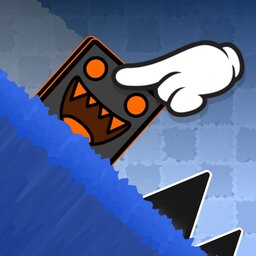
The third entry in the Geometry MOD Playground series expands the world further. More obstacles, more geometric variety, more room to explore. This is the most complex of the Playground titles, making it ideal for 4th graders who've already tried the earlier entries and are ready for a bigger geometric challenge.
The "world" framing is intentional — this feels like an environment to inhabit and explore, not just a level to complete. That exploration mindset is gold for geometry learners who need to build confidence with spatial reasoning over time.
Geometry MOD 3: Playground World!
Sandbox enthusiasts and experimental architects will find endless entertainment in Geometry MOD 3: Playground World! This creative playground lets you...
▶ Play FreeHow to Use These Games in the Classroom
Getting the most out of geometry games in a classroom setting means being intentional about how you integrate them. Here are some approaches that work well for 3rd and 4th grade teachers:
As warm-ups (5–10 minutes) Start a geometry lesson with 5 minutes of free play on one of the simpler games — Geometry Dash Evolution: Clicker or the Cube Farm modes work well for this. It primes kids' spatial thinking and gets them in a geometric headspace before you introduce new concepts.
As exploration time The Playground modes (Ultra Mega MOD Playground and Geometry MOD 3) are particularly suited to open exploration. Assign 15–20 minutes of free play, then bring the class together to discuss: What shapes did you notice? How did your character move differently in different sections? What happened when you changed direction quickly?
As a reward structure Use game time as earned time — students who complete their worksheet problems correctly get 10 minutes with their choice of game from the list. This creates motivation without making the games feel like teaching, which can sometimes kill the fun.
As vocabulary builders Before playing, introduce the geometric vocabulary kids will encounter: cube, wave form, trajectory, angle, vertex. After playing, ask them to identify moments where they used each concept. This bridges the intuitive experience of the game to the formal language of 4th grade geometry.
As differentiated learning Not all kids are at the same level. The simpler clicker games work for kids who need more scaffolding, while Geometry Mayhem and the Wave mode challenge students who've already mastered basic shape concepts. You can assign different games to different students without it being obvious that you're differentiating — they all look like fun.
For home practice Because all these games are browser-based and free, they're genuinely accessible for home practice. Share the links with parents as a "geometry homework alternative" a couple of times per week. Many parents appreciate having a structured, educational option they can feel good about.
One key tip: frame the games as geometry tools, not rewards. When kids understand they're building math skills, they approach the games with more intention — noticing shapes, thinking about spatial relationships — rather than just playing to play. That intentionality is what converts fun into learning.