How to Play Text Adventure Games — Beginner's Guide
So you've heard about text adventure games and you're curious what all the fuss is about. Maybe someone mentioned Zork, or you stumbled across an old-school parser game online, or you just want to try something completely different from the usual click-and-shoot routine. Whatever brought you here — you're about to discover one of gaming's most underrated genres. Learning to play text adventure games is easier than it looks, and once it clicks, you'll be hooked.
This guide covers everything you need to get started: what these games actually are, what commands to type, how to think through puzzles, and where to find great games you can play text adventure online right now without installing anything.
What Is a Text Adventure and How Does It Work
Text adventures (also called interactive fiction) are games where the world is described in words, and you respond by typing commands. There are no graphics to guide you — just prose. The game describes a room, a situation, a character. You type what you want to do. The game responds. That's the whole loop.
Here's a classic example of how a text adventure plays out:
You are standing in an open field west of a white house, with a boarded front door. There is a small mailbox here.
> open mailbox
Opening the small mailbox reveals a leaflet.
Simple, right? You read. You think. You type. The game reacts. The magic is in how much story and puzzle design can be crammed into that tight loop.
Text adventures started in the 1970s with games like Colossal Cave Adventure and then exploded in the early 80s with Infocom titles like Zork, Hitchhiker's Guide to the Galaxy, and Deadline. Those games were pure parser-based — you typed natural language commands into a text input and hoped the parser understood you.
Modern interactive fiction has evolved quite a bit. Today you'll find everything from classic parser games (where you type commands) to choice-based games (where you click options or tap choices). Both count as text adventures at heart — the core experience is reading and making decisions that shape the story.
The genre rewards patience and curiosity. You can't button-mash your way through a text adventure. You have to actually read, think, and pay attention. That's not a bug — it's the whole point.
Some text adventures are pure puzzles. Others are deeply emotional narrative experiences. Some are horror. Some are comedies. Some are romance. The genre covers every mood imaginable, which is why it's survived and thrived for over 50 years.
If you enjoy reading, puzzle-solving, or making choices that actually matter, text adventures will feel like they were made for you.
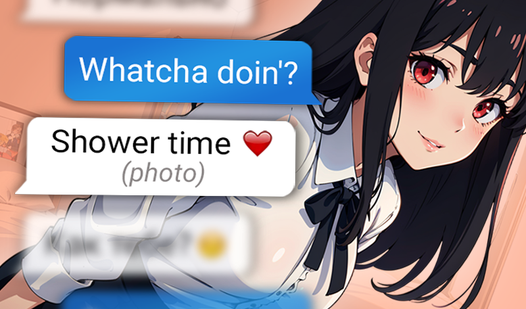
One great way to ease into the genre is through games that mix text interaction with visual storytelling. Texts with Your Crushes does exactly that — you navigate relationship scenarios entirely through text messages, making choices about what to say and watching how the conversation unfolds.

Texts with Your Crushes
Craft the perfect response to charm your way into the hearts of three unique characters in this immersive texting simulator. You will navigate complex...
▶ Play FreeBasic Commands and How to Play Text Adventure
The most intimidating part of text adventure games for new players is knowing what to type. Parser-based games accept natural language, but they actually work with a fairly limited set of core commands. Once you know these, you can handle most situations.
Movement Commands
Navigation is the foundation of any text adventure. Rooms connect to each other in cardinal directions. To move, type the direction:
north(or justn)south(ors)east(ore)west(orw)up(oru)down(ord)northeast,northwest,southeast,southwest
Some games also use enter, exit, climb, or jump for movement in specific contexts.
Looking Around
look— describes the current room againlook at [object]— examines something specificexamine [object]— same as look at, often interchangeablesearch [object]— checks for hidden items inside or behind something
Always look at objects that are mentioned in descriptions. If the game says there's a dusty bookshelf, type examine bookshelf. You'll often find something important.
Picking Up and Using Things
take [object]— picks something upget [object]— same as takedrop [object]— puts something downinventory(or justi) — lists everything you're carryinguse [object]— uses something (works better in choice-based games)put [object] in [container]— places an item inside something elsegive [object] to [character]— hands something to an NPC
Talking to Characters
talk to [character]— starts a conversationask [character] about [topic]— inquires about something specificsay [phrase]— speaks out loudyes/no— responds to yes/no questions
Other Useful Commands
help— shows available commands (if the game supports it)again(org) — repeats your last commandwait(orz) — passes a turn without doing anythingsave— saves your progressrestore— loads a saved gamequit— exits the game
For choice-based text adventures, you won't be typing commands at all — you'll click or tap options as they appear. But understanding the classic parser commands still helps you think like a text adventure player.
FNAF Adventure: Five Nights Quest is a great example of a choice-driven adventure that mixes atmospheric storytelling with decision-making. You're dropped into the Five Nights universe and have to survive by making the right calls at the right moments.

FNAF adventure! Five Nights Quest
Navigate through eerie hallways and engage with mysterious animatronics in FNAF adventure! Five Nights Quest as you uncover long-forgotten secrets. Yo...
▶ Play FreeWhen the Parser Doesn't Understand You
The biggest frustration in parser games is when the game says "I don't understand that" or "You can't do that here." Here's how to handle it:
- Simplify your command. Instead of "carefully pick up the fragile glass bottle," try
take bottle. - Try synonyms. If
takedoesn't work, tryget,grab, orpick up. - Make sure you're in the right room or location.
- Check your inventory — maybe you already have the item.
- Read the room description again for clues about what's interactive.
The parser isn't stupid, but it's not a full language model either. It works with a vocabulary the game author defined. Short, direct commands almost always work better than long descriptive ones.
Tips for Solving Text Adventure Puzzles
Puzzles are where text adventures really shine — and where new players often get stuck. Here's how to approach them like an experienced player.
Map as You Go
Seriously — draw a map. Old-school players used graph paper. Modern players use apps or just a text file. Mark each room, note what exits lead where, and flag rooms with items or NPCs. Text adventure maps get complicated fast, and your memory will fail you when you need it most.
Even if a game has an in-built map, drawing your own helps you notice things the game might not highlight — like a room you passed through but never examined, or a path you haven't tried yet.
Examine Everything
If the room description mentions it, examine it. Chairs, paintings, books, windows, doors, floors — anything could hide a clue, an item, or a trigger. Text adventure authors put details there for a reason.
Take Everything That Isn't Bolted Down
Early in a game, pick up every item you can. Even if you have no idea what a rubber duck or a piece of string is for, take it. Text adventures are famous for the "inventory puzzle" — where you realize you needed that seemingly useless item three rooms ago. Always carry your full haul.
Try Every Exit
Don't assume a direction leads nowhere just because it isn't mentioned in the room description. Type north, south, east, west, up, down. Sometimes exits are unlisted surprises.
Talk to Everyone
NPCs in text adventures often give essential clues. Ask them about everything — themselves, the location, other characters, specific items. Use ask [character] about [topic] and vary your topics.
Think About What You're Actually Trying to Solve
When you're stuck, step back. What is the puzzle asking you to do? What do you have? What's in your way? Is there something in your inventory you haven't tried yet? Is there a room you haven't fully explored?
Most text adventure puzzles have logical solutions — they just require you to think from a slightly different angle than you're used to in other games.
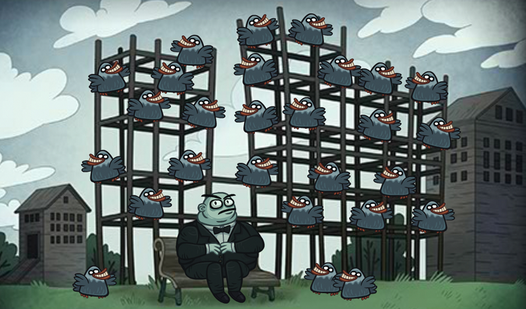
Troll Face Quest Horror Adventure Puzzle gives you a great sense of that lateral-thinking puzzle style. It layers horror atmosphere over absurd puzzle logic, forcing you to experiment and observe carefully to figure out what the game wants.

Troll Face Quest Horror Adventure Puzzle
Click on bizarre objects and icons to unleash chaotic pranks upon legendary horror icons in this twisted logic challenge. Troll Face Quest Horror Adve...
▶ Play FreeUse Hints Without Shame
Stuck for more than 20 minutes? Look up a hint. Seriously. There's no prize for suffering through a brick wall in a text adventure. The goal is to experience the game, not to prove something. Many games have built-in hint systems. Others have walkthroughs online. Use them when you need to, especially as a beginner.
Save Often
Text adventures can punish you for choices made several moves ago. Save before entering a new area, before talking to an important character, before trying anything risky. Most games let you have multiple save slots — use them.
Troll Face Quest Video Games Adventure Puzzle is excellent for practicing this — the game throws unexpected twists constantly, and having a save point before each section means you can experiment freely without losing progress.
Troll Face Quest Video Games Adventure Puzzle
Fans of absurd humor and iconic gaming parodies will find endless entertainment in this wacky point-and-click experience. Troll Face Quest Video Games...
▶ Play FreeBest Text Adventure Games for First-Time Players
Ready to actually play text adventure games? Here are some solid picks for beginners, including games you can jump into right now.
Start with Choice-Based Games
If you're brand new to the genre, choice-based games are the friendliest entry point. You don't have to type anything — you read the story and select from options. This lets you focus on the narrative and decision-making without worrying about parser syntax.
Chatting with the Maid is a fun choice-based game where your conversations and decisions shape how the story develops. It's easy to pick up and gives you a clear sense of how dialogue-driven interactive fiction works.

Chatting with the Maid
Building a meaningful connection through text can be just as intense as meeting someone in person. Chatting with the Maid turns simple digital interac...
▶ Play FreeTry a Mystery or Detective Game
Mystery games translate beautifully into the text adventure format. The genre's emphasis on observation, inventory management, and talking to characters fits detective stories perfectly. You gather clues, interview suspects, and figure out what actually happened.
Detective - Logic Puzzles captures that investigative thrill in a compact format. You're working through cases, gathering evidence, and reasoning your way to a solution — exactly the skill set text adventures build.
Detective - Logic Puzzles
Staring at a blank screen during your lunch break is the perfect sign that you need a bit of mental stimulation. Detective - Logic Puzzles turns your ...
▶ Play FreeWord and Puzzle Hybrids
Some of the best entry points for text adventure thinking come from word puzzle games. They train your brain to look for patterns, consider multiple meanings, and work through problems methodically.
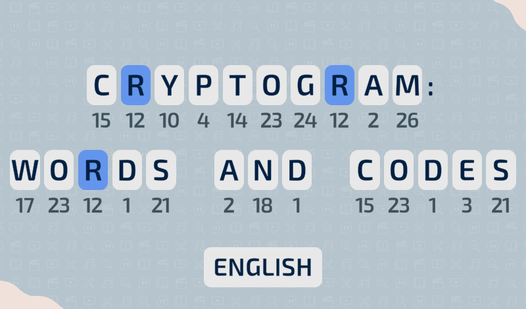
Cryptogram: Words and Codes is a sharp word puzzle game that exercises exactly the kind of analytical thinking that makes text adventures click. Decoding messages and working through word patterns builds the mental muscles you need for harder text adventure puzzles.
Cryptogram: Words and Codes
Cracking secret codes is one of the most intellectually satisfying ways to sharpen your focus during a quick break. Cryptogram: Words and Codes turns ...
▶ Play FreeExpress Crosswords is another great warm-up — fast crossword rounds that sharpen your vocabulary and lateral thinking, both of which come in handy when you're stuck trying to figure out what a text adventure parser wants you to say.
Express Crosswords
Solving clever clues and filling in grids provides a satisfying mental workout that keeps your brain sharp and engaged. Express Crosswords brings a mo...
▶ Play FreeSimulation and Strategy Text Games
Some text adventures blur into simulation territory, giving you a persistent world to manage through text commands and choices. These are great for players who like systemic thinking.
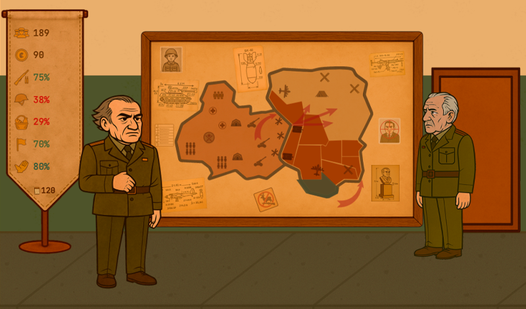
War Simulator: 1985 takes you into a Cold War setting where decisions cascade into consequences. It's the kind of game where reading carefully and thinking through your choices actually matters — which is the text adventure mindset in action.
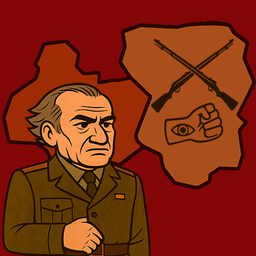
War Simulator: 1985
History is written by those who survive the toughest choices on the battlefield. War Simulator: 1985 places you in the command chair of Gradnar where ...
▶ Play FreeGames with Strong Narrative Hooks
The best text adventures have stories that genuinely grip you. Once you're invested in what happens next, the puzzle-solving feels purposeful rather than arbitrary.
Facing Demons: Chara Battle drops you into a dark narrative with real emotional weight. The choices feel meaningful, and the writing pulls you through even when situations get difficult.

Facing Demons: Chara Battle
Dodging relentless waves of attacks while standing your ground against Chara is the heartbeat of this intense boss rush challenge. You navigate a smal...
▶ Play FreeTips for Choosing Your First Text Adventure
When picking a game to start with, look for:
- Short play time — aim for something you can finish in one or two sessions. A 2-hour game is perfect to start.
- Clear hints or walkthroughs available — knowing you can get unstuck if needed removes the frustration barrier.
- Choice-based rather than parser-based — unless you specifically want the typing experience.
- A genre you already enjoy — mystery, horror, romance, sci-fi — text adventures exist in every genre.
The best thing about text adventures you can play text adventure online is the zero commitment. Open a browser tab, start a game. If it's not clicking, try a different one. No installs, no accounts required for most browser-based games.