Typing Games: How to Play, Rules & Strategies
Typing games have taken off for a simple reason — they turn one of the most essential computer skills into something genuinely enjoyable. Whether you're chasing a higher words-per-minute score, working through a cryptic word puzzle, or competing against a clock to fill a grid, knowing how to play typing games properly changes the whole experience. This guide breaks down the rules, the strategies that actually work, and the best free typing and word games you can start playing right now, with no registration required.
How to Play Typing Games: The Basics
The typing game category is broader than most people initially assume. The genre spans everything from pure speed tests to logic-driven word puzzles, and each format has its own rules, rhythms, and optimal strategies. Here's how the main types break down:
Speed Tests — A block of text appears on screen and you reproduce it as quickly and accurately as possible. Performance is measured in WPM (words per minute) combined with an accuracy percentage. These are the most direct format and also the most revealing — you'll discover exactly which letter combinations and keyboard positions slow you down.
Word Construction Games — You receive a pool of letters and your task is to build as many valid words as possible. Some versions are relaxed and open-ended; others add countdown timers that completely change the mental pressure involved.
Cipher and Cryptogram Puzzles — These lean on vocabulary and pattern recognition more than raw typing speed. You decode encoded messages by identifying the substitution pattern used, letter by letter.
Crossword and Grid Games — Classic formats reimagined for the browser. You complete grids by typing words that satisfy intersecting clues or letter constraints, working from partial information.
Wordle-Style Guessing Games — You have a limited number of attempts to identify a hidden word using color-coded feedback after each guess. Enormously popular, and for good reason — the format is deceptively strategic.
Each type builds different strengths. Speed tests train mechanical fluency. Word games expand vocabulary and pattern recognition. Puzzles sharpen lateral thinking. Mixing formats gives you rounded skills that transfer to real-world typing tasks faster than grinding any single format alone.
Why Typing Games Work So Well
The honest appeal is this: they make deliberate practice feel like play. Traditional typing drills are boring. Typing games add stakes — a timer, a score, a puzzle to solve — and that addition of pressure or curiosity transforms the activity. Your brain is engaged, not just your fingers.
Beyond speed, these games train something subtle: the ability to think and type simultaneously. Most people slow down not because their hands can't keep up, but because their brain gets tangled in anticipation. Timed games specifically train you to stay present and process text fluidly rather than overthinking what comes next.
If you want to benchmark your current speed before anything else — this is the cleanest place to start:
Keyboard Typing Test
Staring at a blank screen while your motivation slowly slips away is a universal struggle during a long day at the desk. Keyboard Typing Test provides...
▶ Play FreeRules of Typing Games by Format
Speed Test Rules
Touch typing is non-negotiable for real improvement. Using all ten fingers without looking at the keyboard is the single biggest factor separating average typists from fast ones. Players who look at their hands hit a hard ceiling early, regardless of practice hours.
Accuracy before speed, always. Every typo costs more time than the error itself — you lose time making it, then more time correcting it. In most games, 95% accuracy at 55 WPM will outscore 80 WPM with 80% accuracy. Stop chasing speed until your accuracy is consistently above 95%.
Return to the home row between keystrokes. The home row — ASDF on the left hand, JKL; on the right — is the default position your fingers return to after every keystroke. If you're not anchoring to it, you spend energy relocating keys constantly.
Identify your weak letter combinations. Nearly every typist has persistent trouble spots: "th", "ion", double letters, numbers, or specific reaches like Y or B. These are where your time leaks. Track them and target them directly.
Word Construction Rules
Minimum word length matters. Most word games require at least 3 letters to validate an entry. Two-letter combinations almost never count.
Suffixes and prefixes multiply your options. If you have the letters to spell PLAY, you likely also have PLAYS, PLAYED, PLAYER. Always scan for -S, -ED, -ER, -ING, -TION, -LY after finding a base word.
Map your consonants first. In games where you construct words from a fixed letter pool, your available consonants define your range. Identify them first, then build around the vowels you have.
High-value letters are rare for a reason. Q, X, Z, and J appear infrequently, which is exactly why they're worth pursuing when the pool contains them. Build words around them before defaulting to common-letter combinations.
Words from Words
Language is a vast playground where even a single long noun hides dozens of shorter secrets waiting to be unlocked. Words from Words challenges your v...
▶ Play FreeCryptogram and Cipher Rules
Cryptograms substitute each letter in a message with a different letter. Your job is to reverse-engineer the substitution pattern. These rules give you an early foothold:
Single-letter words are almost always A or I. Start there — they're your first confirmed decoding.
Three-letter words carry most of the weight. THE, AND, FOR, ARE, BUT, NOT, YOU, ALL — these few words account for a significant share of short-word appearances in English text. Matching encoded three-letter patterns to this list gives you multiple confirmed letters at once.
Doubled letters narrow possibilities fast. English allows limited doubled consonants: LL, SS, TT, FF, MM are the most common. Doubled vowels mostly come down to OO and EE. If you see a repeated character, start there.
Apostrophes are a gift. The pattern X'X almost always resolves to IT'S, HE'S, or I'M. The character after the apostrophe is almost certainly S or T, giving you two confirmed substitutions at once.
Cryptogram: Words and Codes
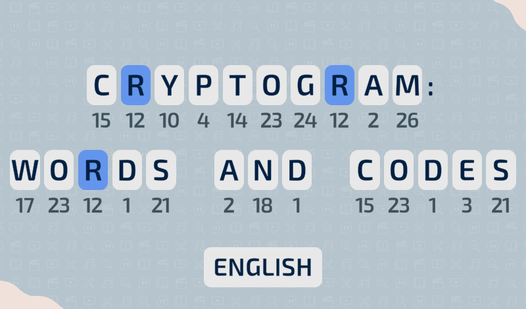
Cracking secret codes is one of the most intellectually satisfying ways to sharpen your focus during a quick break. Cryptogram: Words and Codes turns ...
▶ Play FreeTyping Game Strategies That Actually Work
Build Muscle Memory, Not Raw Speed
The most common mistake: chasing WPM from day one. Speed is a byproduct of accuracy and consistency — it's not a skill you develop by typing as fast as you can and hoping errors average out.
The approach that works: slow down until you can type a passage with 98%+ accuracy. Seriously slow — slower than feels productive. Then gradually increase your pace over several sessions. Your hands need to internalize key positions before your brain can run ahead of them. Players who do this feel painfully slow for two weeks, then see steep improvement. Players who just type fast never break through plateaus.
Structure Your Sessions
Random practice produces random results. A format that works:
- 10 minutes on speed tests — pure benchmarking, consistent text difficulty.
- 10 minutes on problem areas — specific letter combinations, numbers, or punctuation that trip you up.
- 10 minutes on word games — pattern recognition practice without performance pressure.
Three structured sessions a week beats daily grinding with zero focus. The brain consolidates learning between sessions, so more frequent short practice outperforms long cramming.
Approach Word Games Like Logic Puzzles
In word construction games with a fixed letter pool, map out your available letters before typing anything. Note which consonants you have, how many of each vowel, and which common word endings you can form. This analysis feels slow at first, but after a few games it becomes instant and automatic — and players who do it consistently find longer, higher-scoring words faster than those who guess randomly.
Games that blend this kind of methodical deductive reasoning with language are especially good for developing that skill:
Detective - Logic Puzzles
Staring at a blank screen during your lunch break is the perfect sign that you need a bit of mental stimulation. Detective - Logic Puzzles turns your ...
▶ Play FreeCrossword Strategy: Longest Words First
In crossword-style games, always fill in the longest entries first. Longer words reveal more crossing letters, which gives you more information for everything else. Short three-letter answers can slot in almost anywhere, so leave them for last. Work from most constrained to least constrained.
When you're stuck, think phonetically. English spelling isn't perfectly predictable, but reliable micro-rules reduce the possibility space: Q is almost always followed by U; C before E or I usually sounds like S; -TION and -SION are common word endings worth checking when you see those letters available.
Crossword - Make a word from letters
Staring at the clock during a slow afternoon is the worst, but a quick mental escape can turn your entire day around. Crossword - Make a word from let...
▶ Play FreeBest Free Typing Games to Play Right Now
Classic Crosswords
If you want a clean, traditional crossword experience in a browser with no friction, Words Crosswords is exactly that. Satisfying to complete, no download required, and immediately accessible regardless of skill level.
Words Crosswords
Language is a vast landscape of hidden patterns that reveals itself the moment you start connecting random characters into meaningful sequences. Words...
▶ Play Free5-Letter Wordle Games
The Wordle format works because it's constrained and strategic. Six guesses to identify a hidden 5-letter word, with color feedback after each attempt: green for right letter, right position; yellow for right letter, wrong position; grey for letter not in the word at all.
Opener selection is the key strategic decision. Your first guess should cover the highest-frequency English letters — E, T, A, O, I, N are the most common. Strong openers include words like CRANE, STARE, TRIED, or AUDIO. Avoid openers with repeated letters on your first guess, since they give you less information.
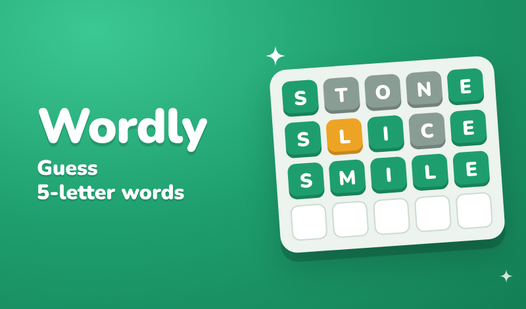
5 letters wordle
Guess the hidden mystery word by strategically testing combinations of letters in 5 letters wordle. Every time you submit a guess, the game provides c...
▶ Play FreeThis variant offers a fresh take on the same core mechanic — worth playing even if you've exhausted the standard format:
Wordle: Guess the words from 5 letters
Crack the code by guessing hidden five-letter terms using your sharp wit and refined vocabulary. You enter a word to test your luck, receiving color-c...
▶ Play FreeWordmix: Rearrange and Construct
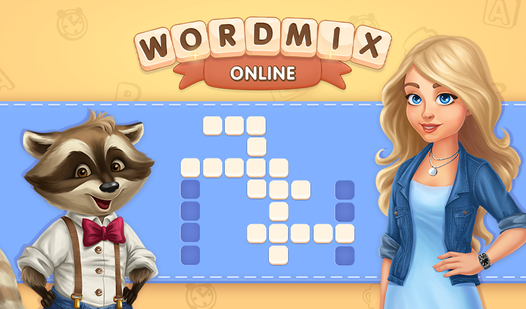
Wordmix is a scramble-based format where you rearrange a set of letters to form valid words. The satisfaction of a long word clicking into place is real, and the difficulty scales cleanly.
Best approach in Wordmix: identify suffix opportunities first. If you spot -ING, -ED, -ER, -LY, or -TION in the letter pool, build from there backwards toward the root word. Players who anchor on common endings find longer words faster than those who build forward from consonant clusters.
Wordmix Online
Connect letters in the correct sequence to reveal hidden vocabulary and clear the board in Wordmix Online. This addictive puzzle experience challenges...
▶ Play FreeTiny Words
Compact, tight, and sharper than the name suggests. Tiny Words packs real challenge into small puzzles that work perfectly for sessions where you have ten minutes rather than an hour. The constraints force creative thinking with limited options.
Tiny Words
Word enthusiasts and puzzle fans will find endless delight in the soothing challenge of Tiny Words. This clever twist on the classic mahjong solitaire...
▶ Play FreeSea of Words
Sea of Words takes a more exploratory approach — less score pressure, more open-ended discovery. It's a good option when you want the mental engagement of language without the performance anxiety of a countdown clock.
Sea of Words
Fans of stimulating brain teasers will find Sea of Words to be the ultimate companion for daily mental sharpening. This engaging word game puts your l...
▶ Play FreeA Practical Improvement Roadmap
If you're starting from scratch or stuck at a plateau, here's a realistic path forward.
Weeks 1-2: Get Consistent Data Take a speed test every session but don't try to improve yet. Your only job is getting reliable baseline data. Note which letters, positions, and combinations consistently slow you down or produce errors.
Weeks 3-4: Target the Weak Spots Focus sessions on the specific problems you identified. Passages heavy in numbers if numbers trip you up. Punctuation-dense text if commas and periods break your rhythm. Targeted practice on specific weaknesses produces faster results than general typing.
Weeks 5-8: Mix the Formats Introduce word construction and puzzle games alongside speed tests. Different modes of engagement prevent burnout and build complementary skills. Vocabulary games make you think about letters and combinations in ways that transfer back to speed tests — you start seeing common words faster and making fewer recognition errors.
Ongoing: Consistency Beats Intensity Twenty minutes daily, five days a week, produces better results than two-hour weekend sessions. Typing is a physical skill built through repetition spread over time. Progress compounds over weeks, not hours.
Mistakes That Cap Your Progress
Retyping the entire word when you make an error. Backspace to the specific mistake and fix just that character. Retyping the full word from scratch wastes significantly more time.
Playing only one format. Speed tests measure mechanical fluency. Word games measure something different. Playing only one type develops one dimension of skill. Mix the formats.
Comparing scores across different text difficulties. A 70 WPM score on a dense technical passage with abbreviations and numbers is harder than 90 WPM on a simple conversational text. Track personal progress over time, not raw numbers against strangers playing different content.
Skipping the home row. If you don't anchor your fingers to ASDF and JKL; between keystrokes, every key reach costs extra time because you're relocating keys instead of extending from a known position. It feels artificial at first, then becomes automatic.