Hidden Treasures Games Unblocked — Play Free at School or Work
There's something universally satisfying about scanning a cluttered scene, spotting a glinting coin tucked behind a barrel, or uncovering a jeweled chest beneath a pile of leaves. Hidden treasures games unblocked bring exactly that thrill straight to your browser — no downloads, no installs, no blocked sites getting in the way. Whether you've got five minutes between classes or a lunch break at the office, these games are ready when you are.
This guide covers everything you need: how to get started, which games are worth your time, tricks for sharpening your eye, and why this genre is basically made for restricted networks. Let's get into it.
How to Play Hidden Treasures Games Unblocked
Hidden treasures games unblocked follow a simple premise, but the execution varies wildly from title to title. The core loop almost always looks like this: you're shown a scene — a pirate cove, a sunken ship, a cluttered hotel lobby — and somewhere in that scene are objects, gems, or treasures you need to find. Click them, collect points, move to the next level.
Because these games run entirely in the browser, they don't need to be installed and they don't require admin privileges. That's what "unblocked" really means in practice: the game loads via a regular webpage, so school Wi-Fi filters and workplace firewalls that target executable downloads simply have nothing to block.
The basic controls:
- Mouse click (or tap on mobile): Select objects or areas you think contain hidden items.
- Zoom: Many games let you zoom into sections of the scene to get a closer look.
- Hint button: Almost every hidden object game has one. Use it sparingly — hints are limited.
- Timer bar: Some games are timed, others let you play at your own pace. Check before you start.
The real skill isn't just speed — it's learning to train your eyes to pick up shapes and silhouettes rather than trying to name every item in the scene. Once you develop that habit, your scores will jump noticeably.
One of the most satisfying entry points for this style is a classic treasure hunt setup. Pirate Treasures puts you on a quest through pirate-themed scenes packed with gold coins, maps, and nautical gear. The art style is rich and detailed, which makes finding objects a genuine challenge rather than just a clicking exercise.

Pirate Treasures
Fans of swashbuckling adventures and challenging logic riddles will find their new obsession with Pirate Treasures. This vibrant match 3 game tasks yo...
▶ Play FreeBest Unblocked Hidden Object Games
The hidden object genre is massive, and within it, treasure-themed games occupy a sweet spot: high visual reward, strong narrative hooks, and progression systems that keep you coming back. Here are the standout picks you'll find on FreeJoy, all playable directly in-browser.
Hidden Object: Clues and Mysteries
This one is for players who want more than just a list of items to find. Hidden Object: Clues and Mysteries wraps the hidden object mechanics inside a mystery storyline. You're piecing together clues, searching scenes for evidence, and gradually uncovering what happened. The pacing is excellent — scenes don't feel overwhelming, but they're never too easy either. The mystery angle adds genuine stakes to every object you find, because each one pushes the story forward.
Hidden Object: Clues and Mysteries
The human brain is naturally wired to find patterns in chaos, making the classic hidden object genre the ultimate test of observation. Hidden Object: ...
▶ Play FreeHidden Objects: Island Secrets
If you like your treasure hunts with a bit of tropical atmosphere, Hidden Objects: Island Secrets delivers. Lush island scenery, hidden artifacts buried in jungle undergrowth, and a storyline about uncovering the island's past make this one feel more like an adventure than a simple puzzle game. The objects are cleverly integrated into the environment — you won't find a fish wrench sitting randomly on a shelf. Everything belongs in the scene, which means you actually have to look carefully.

Hidden Objects: Island Secrets
Fans of detective games will find themselves hooked by the mysterious atmosphere of Hidden Objects: Island Secrets. This captivating adventure challen...
▶ Play FreeOceanscapes: Secrets of the Lost Treasures
Underwater treasure hunting sounds exactly as good as it is. Oceanscapes: Secrets of the Lost Treasures takes you beneath the waves to explore sunken ships, coral reefs, and hidden grottos filled with lost artifacts. The visual design is stunning — colorful marine life, shafts of light filtering through water, mysterious wrecks — and the hidden objects feel genuinely hidden rather than awkwardly placed. This is the kind of game you can sink thirty minutes into before you even notice.
Oceanscapes - Secrets of the Lost Treasures
Swap shimmering underwater tiles to create explosive combinations and clear your path through mysterious ocean depths. Oceanscapes - Secrets of the Lo...
▶ Play FreeHidden Object: My Hotel
Hidden Object: My Hotel shifts the setting from oceans and islands to a sprawling hotel that's seen better days. Your job is to find hidden objects throughout the hotel's many rooms to restore it to its former glory. It's a satisfying renovation narrative wrapped around tight hidden object gameplay. Each room has its own visual personality — the ballroom, the kitchen, the rooftop — so the game stays visually fresh across many levels.

Hidden Object: My Hotel
Fans of mystery and renovation will fall in love with Hidden Object: My Hotel instantly. This captivating hidden object adventure tasks you with resto...
▶ Play FreeTreasures of Paris: The Secret of Gems Match 3
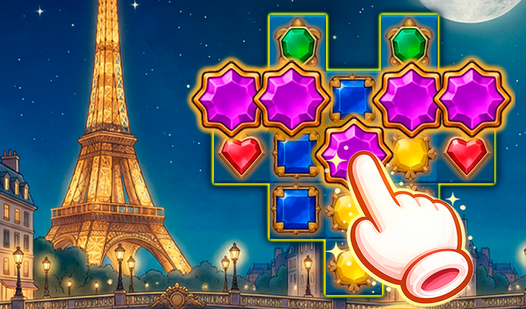
Not every treasure hunt is about clicking objects in a scene. Treasures of Paris: The Secret of Gems combines Match 3 mechanics with a treasure-collecting narrative set against Parisian backdrops. You're matching gems to unlock sections of the story and reveal treasures hidden behind the puzzle grid. If you enjoy Match 3 but want something with more thematic weight than candy or jewels in a vacuum, this is a solid pick.
Treasures of Paris: The Secret of Gems - Match 3
Matching colorful gems is the ultimate way to unwind while sharpening your cognitive skills through strategic thinking. Treasures of Paris: The Secret...
▶ Play FreeHidden Cats and Spot the Cat
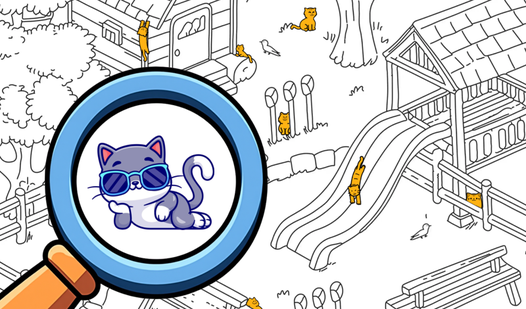
Sometimes the treasure is adorable. Spot the Cat: Hidden Cats and Hidden Cats both task you with finding cleverly camouflaged cats in detailed scenes. These games are lighter in tone than the mystery-heavy titles, but the challenge is real — cats are masters of blending in, and the artists take full advantage of that. Both are excellent palette cleansers between more intense sessions.
Spot the Cat. Hidden Cats
Scan every inch of vibrant, hand-drawn scenes to find the cat hiding in plain sight. Spot the Cat. Hidden Cats turns your screen into a massive scaven...
▶ Play Free
Hidden cats
Fans of relaxing brain training challenges will adore the charming world of Hidden cats. This artistic puzzle game tasks you with locating one hundred...
▶ Play FreeHidden Objects: Find All Sprunki
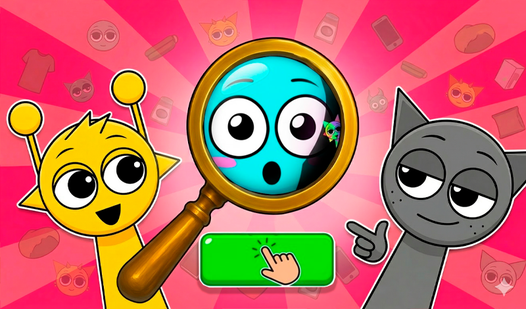
Hidden Objects: Find All Sprunki brings the popular Sprunki characters into the hidden object format. If you're already familiar with the Sprunki universe, this is a fun crossover. If you're not, it's still a solid hidden object game with bright visuals and energetic design. Finding the quirky little characters in each scene feels rewarding in a way that generic object lists don't.
Hidden Objects: Find All Sprunki
Finding tiny details in a chaotic scene is the ultimate test of focus and patience for any puzzle enthusiast. Hidden Objects: Find All Sprunki turns t...
▶ Play FreeHidden Objects: Traveling America
Hidden Objects: Traveling America turns the genre into a road trip. Scenes span iconic American locations — national parks, small towns, coastal vistas — each packed with objects tied to that region's character. It's educational in a light-touch way, and the variety of settings keeps the visual experience interesting across many sessions.

Hidden Objects: Traveling America
Road trips are the ultimate way to see the world, and now your living room is the starting point for a cross-country adventure. Hidden Objects: Travel...
▶ Play FreeTips for Finding Hidden Treasures Faster
Once you've played a few hidden object games, you'll notice your performance improving naturally. But there are specific habits that accelerate that process considerably.
Scan systematically, not randomly. The instinct when facing a new scene is to jump around looking wherever seems interesting. This leads to missing objects in less visually exciting corners. Instead, pick a starting point — top-left is the classic — and sweep your eyes across the scene in rows or sections. You'll cover the whole scene faster and miss fewer items.
Use peripheral vision deliberately. The human eye is actually quite good at detecting differences in shape and color without focusing directly on something. When you're scanning a scene, let objects "pop" from your peripheral vision rather than trying to analyze every inch directly. Hidden object games often place items in mid-ground where peripheral detection works particularly well.
Learn the game's hiding vocabulary. Every game has a "style" for how it hides objects. Some games partially obscure items behind foreground elements. Others blend items into backgrounds using color matching. After a few levels, you'll start predicting where the game typically hides things — behind curtains, in shadows, overlapping with similar-colored objects.
Don't overuse hints. Hints are tempting when you're stuck on one object for two minutes, but they reset slowly (or cost currency). Instead, try stepping back from the screen slightly — literally moving your chair back — and looking at the scene fresh. A change in viewing distance often reveals objects you couldn't see up close.
Time pressure changes everything. If a game has a timer, it will make you panic and miss obvious items. The counterintuitive fix: slow down. Forcing yourself to keep a steady scan pace, even when the timer is running low, leads to better performance than frantically clicking around. Panic clicks are wasted clicks.
Zoom smartly. Most games let you zoom into quadrants of the scene. If you've checked the full scene without finding an object, zoom into areas you scanned quickly — often you'll find items tucked into detailed corners that looked clear at normal zoom.
Play with sound on. Several hidden object games use audio cues when you're hovering near an object — a subtle shimmer or audio tick. This is easy to miss but genuinely useful once you learn to listen for it.
Why These Games Work at School and Work
There's a reason hidden object and hidden treasures games have become the go-to genre for anyone on a restricted network: they're architecturally ideal for that situation.
Browser-native means nothing to block. Traditional network filters are designed to block downloads of executable files, block specific gaming domains, or restrict bandwidth-heavy streaming. Hidden object games on FreeJoy load as standard web pages with lightweight assets. There's no file download to trigger filters, no high bandwidth to flag, and no client software to require installation. The game just runs.
Sessions are naturally short. A single level in a hidden object game takes anywhere from two to eight minutes. This makes them perfect for filling a ten-minute gap between tasks or during a commute. You can put the game down mid-session, come back later, and not lose significant progress. Compare this to story-heavy RPGs or multiplayer games that demand extended continuous sessions.
Low hardware requirements. School computers and workplace terminals often run older hardware or have performance throttling enabled. Hidden object games are typically not demanding — they're static or lightly animated scenes, not 3D renders. They run smoothly on essentially any hardware made in the last decade.
No account required. Most of these games on FreeJoy are playable without creating an account or logging in. There's no registration page that might be flagged by network monitoring software. You just open the game and play.
They're quiet. Office environments and shared study spaces have social pressures around what you're visibly doing. Hidden object games look like work: you're focusing intently on a screen, possibly even frowning slightly. Nobody walking by will clock you as gaming unless they look closely. This is a frivolous point but a real one.
The mental break is real. Research on workplace productivity consistently shows that short mental breaks improve sustained focus. Hidden object games are particularly well-suited for this because they engage your attention fully for a short period without taxing the same cognitive resources you use for analytical work. You're exercising visual pattern recognition rather than logical reasoning, which gives the "thinking" parts of your brain a genuine rest while still keeping you engaged.
The combination of these factors explains why hidden treasures games unblocked consistently rank among the most-played browser games in school and office settings. It's not just that they're fun — it's that they're built for exactly this context.